File Manager - File explorer
com.simple.filemanager
View detailed information for File Manager - File explorer — ratings, download counts, screenshots, pricing and developer details. See integrated SDKs and related technical data.
Screenshots


Description
File Manager is an easy, free, feature-packed file explorer. For its concise UI, it’s very easy to use. You can easily manage files on your android devices.
Key Features of the File Manager App
Basic functionalities: Search, copy, move, share, rename and delete files.
The main functions of the file manager:
• View hidden files: View the files hidden by the system and observe the storage space more comprehensively.
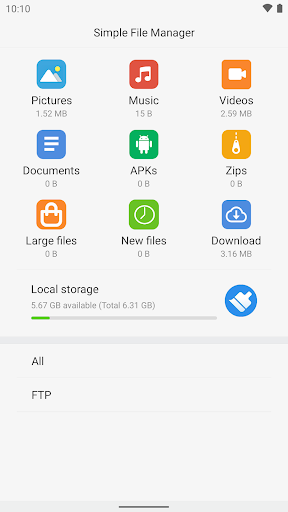
• Categories: Files are organized into categories by their formats. View file in each categorization exactly and enjoy files browsing.
• Files: View your storage stats and manage all folders on your device.
• Search file: Quickly Search the files by their name.
• FTP: Using FTP you can access your android device storage from PC and manage files on it.
You can preview files on the file list.
It supports open, copy, cut, delete, rename file operations. It can show hidden files on your device. You can search files by names and you can share files to other applications by using this file manager.