Password Safe
com.sezione1.passwordsafe
View detailed information for Password Safe — ratings, download counts, screenshots, pricing and developer details. See integrated SDKs and related technical data.
Screenshots

Description
Remembering all passwords is difficult. We all know that recovering a forgotten password is very annoying.
With Password Safe, your personal password archive, you can save even more time.
With all your passwords in a dedicated archive, accessible with a single password, using your accounts is simple, even for those you rarely visit.
You will no longer have to recover forgotten passwords.
Just remember a single password to access all your login details! The intuitive design helps you manage your data easily.
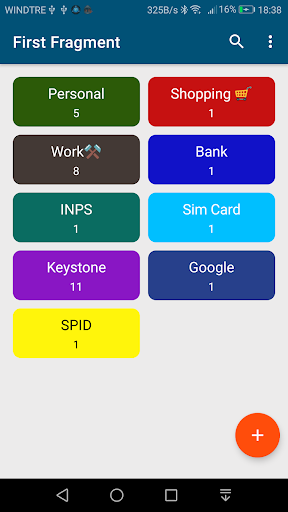
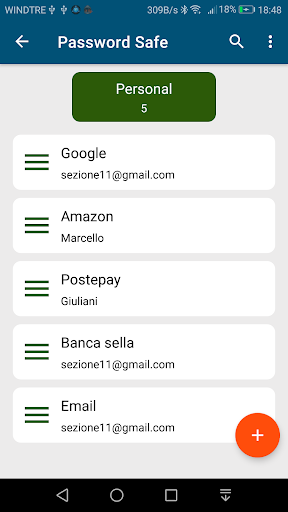
It uses categories to organize entries, which makes it super easy to organize and find specific content.
No subscription, no monthly fee! Once installed, use it on all your Android devices at no cost.
Protect passwords, addresses, bank card details, notes and private images of important documents in an encrypted database that only you can unlock.
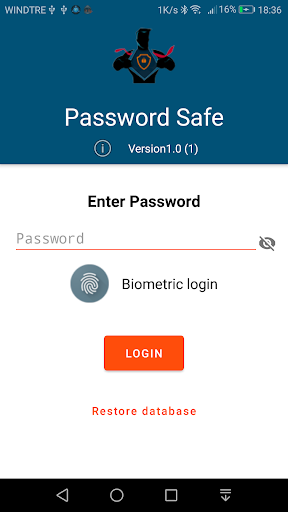
Log into your database with a master password and quickly log in using the latest fingerprint reading technology.
Management of all important data in the digital safe:
• Username
• Password
• PIN
• Website
• Notes
• Images
Some features:
- Secure encryption (256-bit Advanced Encryption Standard)
- Secure storage of passwords, access data, etc.
- Classify the entries in Password Safe
- Access via a master password
- Access by fingerprint
- Backup and restore of the encrypted database
- Sort the most used items
- Automatic deletion of the database (in some cases to be established)
- Local automatic backup
- Android permissions are not required
- No data is saved online (all passwords are saved in a local database)