Slyx Editor
com.sergeidub.slyx
View detailed information for Slyx Editor — ratings, download counts, screenshots, pricing and developer details. See integrated SDKs and related technical data.

Screenshots



Description
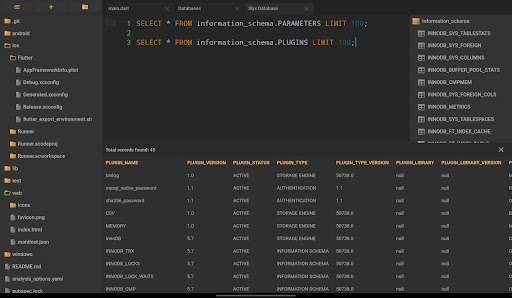
Powerful code editor for Android with Git, Terminal (SSH), Databases & FTP.
Run or build project in minutes. 🚀
Using Slyx Editor you can develop, build or run your software.
Join thousands of coders who trust Slyx Editor and code on the go.
Features:
• Superfast editor. It works great even on cheap devices.
• Syntax Highlighting.
• Unicode Support.
• Tabs. Quickly switch between your open files or terminals.
• Terminal. Connect to any server using SSH protocol.
• FTP Client. Drag & Drop supported.
• Databases Manager.
• Git Client: Clone, Commit, Push, Pull; Branches List; Commits History.
• Remote Git Support (GitHub, GitLab, BitBucket or any Git Hosting).
• Compile or debug projects (Run or Build in the Cloud).
• Share Files (we are using native share component).
• ZIP or UnZIP our files or directories.
• Extended Slyx Keyboard. Looks like a traditional keyboard.
• Bluetooth Keyboard Support. Ideal for fast coding.
• Desktop Mode. Continue coding on any device.
Desktop Mode:
Using Desktop Mode you can run IDE on other device (PC, Mac or Smart TV) using WiFi. Pay attention that Desktop Mode can be little bit slower than native interface.
To see more details please visit our website:
https://slyx.app/
If you have any questions just contact us:
help@slyx.app