Sensor Connect Smart Home
com.sensornetworks.smartgeyser
View detailed information for Sensor Connect Smart Home — ratings, download counts, screenshots, pricing and developer details. See integrated SDKs and related technical data.
Screenshots

Description
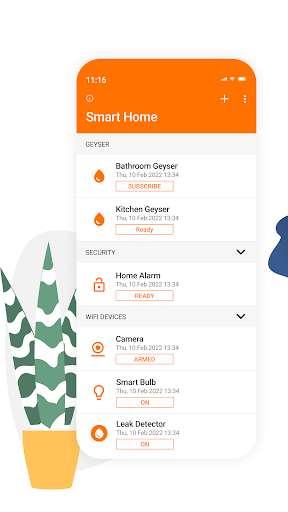
Sensor Connect links you to all the sensors in your home, giving you full control of your geyser, alarm system, lights, cameras and plugs while also providing an early warning system should something go wrong.
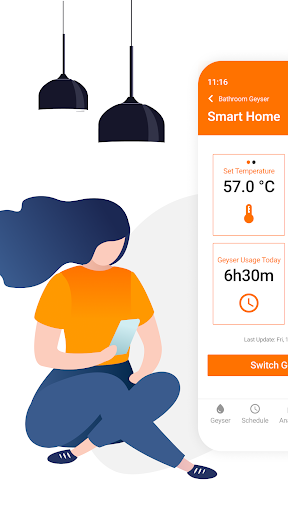
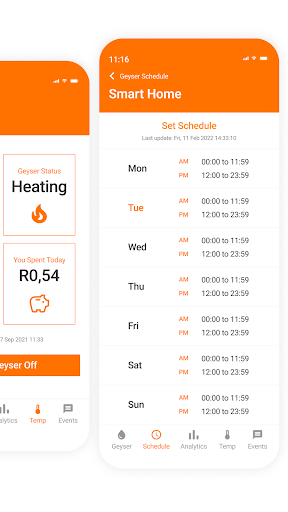
With Sensor Connect, you can monitor your Geyser Connect device and take full control of your geyser heating schedule and water temperature, while keeping tabs on your household geyser’s energy usage over time. Sensor Connect also gives you peace of mind by notifying you immediately in the event of a geyser failure, and automatically taking steps to minimise any potential damage to your property.
Through Sensor Connect, you’ll be able to take control of your Alarm Connect and Camera Connect devices, giving you real-time access to your home security system from anywhere. View active security zones, arm and disarm your home alarm and trigger an emergency panic signal if needed. Setup Camera Connect and keep an eye on your home with a live stream, motion tracking and alert notifications when you need them most.
In order to properly use Sensor Connect Smart Home, you will need to do the following:
• Install a Geyser Connect, Alarm Connect and/or Camera Connect device
• Register as a user in the Sensor Connect Smart Home app
• Verify your email address
• Link your phone number to your Sensor Connect Smart Home account