Siren24 아이핀(마이핀)
com.sci.siren24.ipin
View detailed information for Siren24 아이핀(마이핀) — ratings, download counts, screenshots, pricing and developer details. See integrated SDKs and related technical data.
Total installs
1.2M(1,280,322)
Rating
0.0
Released
unknown
Last updated
January 1, 1970
Category
Business
Developer
서울평가정보(주)
Screenshots

Description
Siren24 i-PIN is an app that allows you to use the i-PIN issued by Seoul Evaluation Information more safely and conveniently.
With the launch of i-PIN simple authentication, you can authenticate more quickly and easily without entering ID/PW.
[Main features]
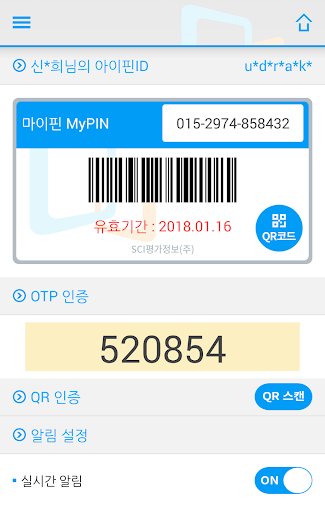
○ i-PIN simple authentication (fingerprint, PIN)
- Scan the app's QR code or enter a numeric code without entering an ID or password.
Authentication is possible.
○ Real-time authentication notification from i-PIN (My PIN)
- You can prevent attempts by others to steal your account with real-time notifications upon i-PIN authentication.
○ Issuance of i-PIN (My PIN)
- Even if you do not have an i-PIN, you can get one immediately after installing the Siren24 i-PIN app.
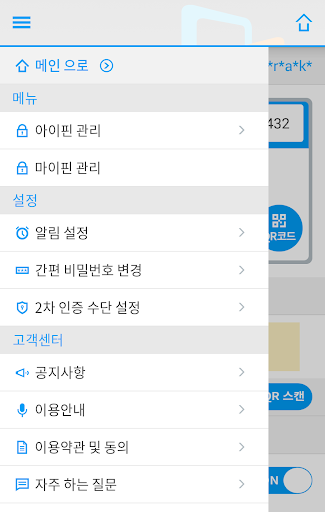
○ View and change i-PIN (My PIN)
- You can view and change your i-PIN (My PIN).
[What is i-PIN?]
i-PIN is an “Internet personal identification number” and is an identity verification method that allows you to verify your identity on the Internet instead of your resident registration number. The Siren24 i-PIN app is provided by Seoul Evaluation Information Co., Ltd., an identity verification agency designated by the government, to conveniently use the i-PIN service. (Place of use: online service, website)
[What is My Pin?]
My PIN is an identity verification method that allows you to verify your identity offline in place of your resident registration number. It consists of a 13-digit number. (Place of use: offline stores such as department stores, marts, etc., ARS)
[caution]
○ If you do not have a mobile phone in your name, you cannot use the service.
○ You must be connected to the Internet to use the service normally.
○ Please use the 5G/LTE network whenever possible.
[App access permission information]
○ Required access rights
- Phone (used to read USIM information during authentication and automatically enter mobile phone number)
- Camera (used for simple authentication using QR code)
○ Optional access rights: You may not agree to granting optional access rights, but there may be restrictions on the use of some functions.
- Storage space (inspect SD card content information through security solution for safe service)
- Address book (used for additional authentication requests or PUSH sending)