Stocktake / Counter CSV Export
com.scansku.stocktakecsvexport
View detailed information for Stocktake / Counter CSV Export — ratings, download counts, screenshots, pricing and developer details. See integrated SDKs and related technical data.
- No items.

Screenshots
Description
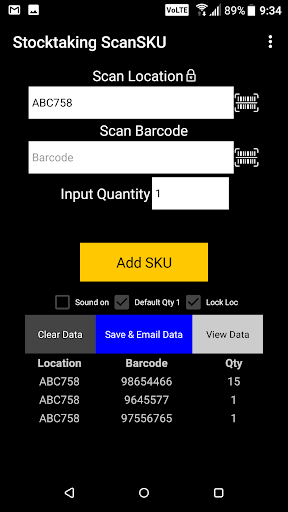
Our ScanSKU™ Stocktake Offline is designed to scan your warehouse locations, barcodes and input quantities for a stocktake. This app works offline with no wi-fi or internet connection required. Data is saved on the device and can be exported in CSV and either emailed, uploaded or copied to a PC.
Features
- Capture Locations, Barcode and Quantities.
- Location field can be locked, so you can scan multiple SKUs against 1 location, or only have 1 location for a whole stocktake (i.e. ‘Warehouse 1’)
- Quantity can be set to a default of “1” for quicker scanning when you have 1 of each item. In this mode, there is no need to input a quantity each time.
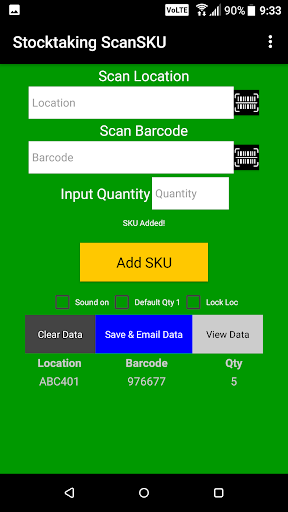
- Visual and audible verification to either confirm product was added, or there was an error in the data such as a missing quantity.
- No Wi-fi required: Save the data to the device and email with the click of a button in the app (CSV format, can open with excel). You can also plug the device in and copy the data to your PC
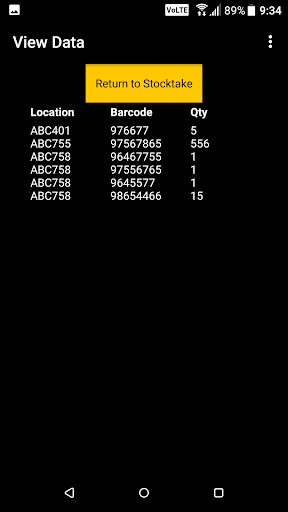
- View data that has been scanned, within the app
- Can be used with an external scanner or using your device's camera to scan Barcodes