Scandit Express
com.scandit.KeyboardWedge2
View detailed information for Scandit Express — ratings, download counts, screenshots, pricing and developer details. See integrated SDKs and related technical data.

Screenshots

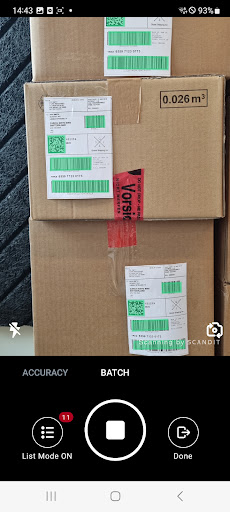


Description
Scandit Express instantly upgrades smartphones or tablets with a turnkey keyboard wedge solution, allowing you to scan barcodes directly into any input field from your keyboard. No need to change any software or do any coding.
When applications can’t be modified, Scandit Express can be used to populate fields into legacy or third-party applications (such as CRM, ERP systems). It’s also ideal for businesses where short timelines are important or resources are limited, since its deployment is instant.
Scandit Express gives access to advanced scanning capabilities, such as:
Batch scanning mode: scan multiple barcodes simultaneously, all at once, to help speed up workflows.
Accuracy mode: when there are a lot of barcodes, make sure you select the desired one out of many with the help of an AR overlay.
Speed mode: scan successive barcodes at high speed, without the need to tap on the screen.
After scanning, you can view all your scanned items in a list view, input them into your application or data tool, or download them as CSV.
Scandit Express is powered by the Scandit Data Capture SDK, which is capable of reading any 1D or 2D barcodes under even the most challenging conditions.
Scandit Express allows users to use a floating button that is visible in all applications and return results either as text or Android intents. For this feature Scandit Express needs to use the Android Accessibility API and if the feature is activated the user will be requested to grant Accessibility API permissions.