SaveGo Video Downloader
com.savego.app
View detailed information for SaveGo Video Downloader — ratings, download counts, screenshots, pricing and developer details. See integrated SDKs and related technical data.
- No items.
Screenshots
Description
SaveGo App – Download Videos & Music from Social Media Easily
With SaveGo App, you can manage and save videos or music from supported social media platforms directly to your device for offline viewing. Our app provides an easy-to-use interface that allows you to copy and paste links to download content efficiently.
Key Features of SaveGo App
✔ Download publicly available videos & MP3s from supported platforms.
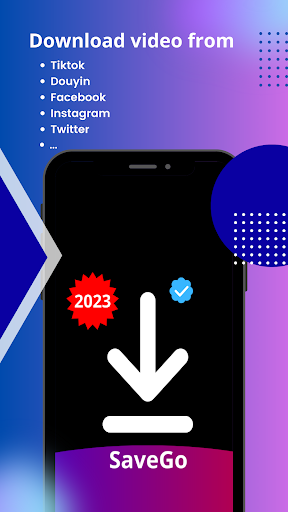
✔ Save videos from TikTok, Douyin, Facebook, Instagram, Twitter for offline viewing.
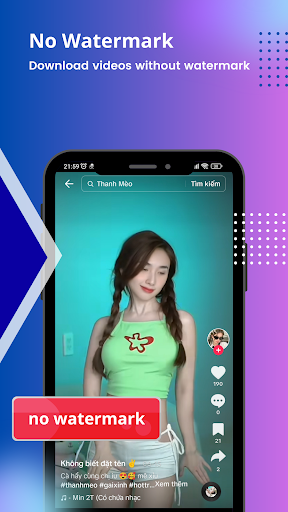
✔ Download videos from TikTok & Douyin without watermarks (if allowed by the content owner).
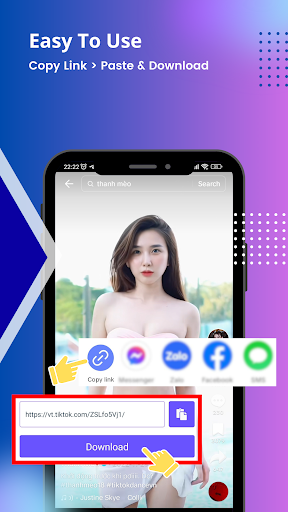
✔ Easy-to-use interface: Paste Link > Download > Save to device.
✔ Manage, organize, and play downloaded videos with a built-in media player.
✔ Fast and secure downloading experience.
✅ Supported TikTok video URLs (Example formats):
- https://vm.tiktok.com/[example]/
- https://vt.tiktok.com/[example]/
- https://www.tiktok.com/@[username]/video/[video_id]
- https://m.tiktok.com/v/[video_id].html
🛑 Not Supported URLs (Examples):
- Homepage links: https://www.tiktok.com/foryou?lang=en
- Profile/Username links: https://www.tiktok.com/@[username]
- Search result pages: https://www.tiktok.com/search?q=[keyword]&t=[timestamp]
- Hashtag pages: https://www.tiktok.com/tag/[hashtag]
- Music pages: https://www.tiktok.com/music/[music-title]-[music-id]
- Live stream pages: https://www.tiktok.com/live/[stream_id]
- Playlist pages: https://www.tiktok.com/@[username]/playlist/[playlist_id]
- Non-video content pages: https://www.tiktok.com/discover, https://www.tiktok.com/explore
- Private or restricted content
👉 Only public TikTok video URLs are supported. Please enter a valid video URL.
📌 How to Use SaveGo App
1️⃣ Open TikTok, Douyin, Facebook, Instagram, Twitter, then copy the link of the video you want to save.
2️⃣ Open SaveGo App, paste the link, and press the Download button.
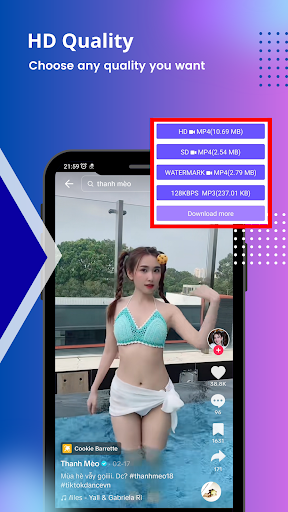
3️⃣ Choose the file format and quality, wait a few seconds, then access your saved content.
Why Choose SaveGo App?
✔ All-in-One Downloader – Manage downloads from multiple platforms in one place.
✔ No User Data Collection – We do not store any downloaded files or track user activities.
✔ Safe & Private – Secure and respectful of intellectual property rights.
🛑 Important Notice & Disclaimer
SaveGo App does NOT support downloading private or copyrighted content without the permission of the content owner.
The app is not affiliated with TikTok, Douyin, Facebook, Instagram, or Twitter.
Users must obtain permission before downloading and using any content for redistribution.
This app is intended only for personal use and does not encourage any violations of intellectual property laws.