AppLock - Fingerprint Lock
com.samarendra.applock
View detailed information for AppLock - Fingerprint Lock — ratings, download counts, screenshots, pricing and developer details. See integrated SDKs and related technical data.

Screenshots



Description
☀——Highlights of AppLock——☀
▶AppLock can lock Social apps: Facebook, Whatsapp, Messenger, Instagram and so on. No one can peep at your private chat any more.
▶AppLock can lock System apps: Gallery, SMS, Contacts, Gmail, Settings, incoming calls and any app you choose. Prevent unauthorized access and guard privacy.
▶AppLock has multiple lock options: PIN Lock,Pattern Lock and Fingerprint Lock choose your favorite style to lock apps .
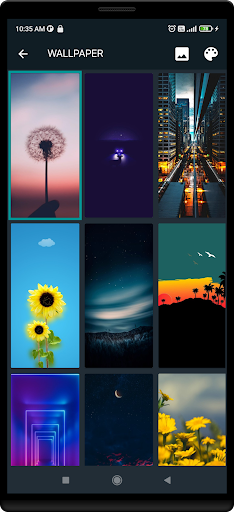
▶AppLock has rich themes: We have built-in sets of beautiful Pattern themes , PIN themes and wallpapers for your choice, will continue to update.
▶Reset password: Reset your password with security questions if you forget it.
▶Lock apps in real time: Lock without delay, no need to worry about the app content being displayed before the lock kicks in.
▶ Lock Timeout: you can to re-lock apps immediately or after screen off.
▶ Simple and Beautiful UI: Beautiful and simple UI so you can perform any task easily.
▶ Lock Recent Apps: You can lock recent apps page so no one can see the content of recently used apps.
——FAQ——
1. How to set my password at the first time?
☀Open AppLock -> Draw a pattern -> Confirm pattern;(or Open AppLock -> Enter PIN code -> Confirm PIN code)
Note: For android 5.0+, allow Applock to use usage access permission -> Find AppLock -> Allow usage access
2. How to change my PIN password?
☀ Open AppLock -> Settings -> Change PIN password -> Enter new PIN password -> Reenter PIN password
3. What should I do if I forget the AppLock password?
☀ Click “Forget Password” -> Enter Luck Number -> Enter new password -> Reenter password
4. What should I do for AppLock better working?
☀Open AppLock -> Settings -> Enable permitions for Applock better running>Enable AutoRun permitions & Keep Applock protection .
Contact US:samarendrasinghapps@gmail.com