WiFi Connection Manager
com.roamingsoft.manager
View detailed information for WiFi Connection Manager — ratings, download counts, screenshots, pricing and developer details. See integrated SDKs and related technical data.
Total installs
11.0M(11,060,048)
Rating
3.5(1,758 reviews)
Released
May 14, 2011
Last updated
October 31, 2025
Category
Tools
Developer
roamingsoft
Developer details
Name
roamingsoft
E-mail
android@roamingsoft.com
Website
unknown
Country
China
Address
unknown

Screenshots

Description
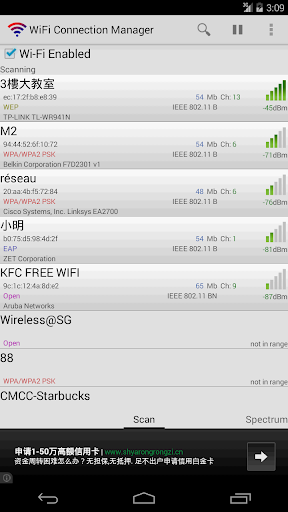
WiFi Connection Manager is a Wi-Fi scanner, manager and connector on android.
Help us with the translation project on http://crowdin.net/project/wifi-connection-manager
1. Support AP (Access Points) SSID with special characters, such as Chinese, Japanese, Korean, Greeks, Russian, Arabic, Portuguese, UNICODE and so on.
2. Fix device Wi-Fi problems.
3. Instant connect. Once searched, once start connecting. Way faster than the system build-in Wi-Fi scanner.
4. Static IP settings support. Auto switch between different AP.
5. Switch between available networks, solving the network conflict problem.
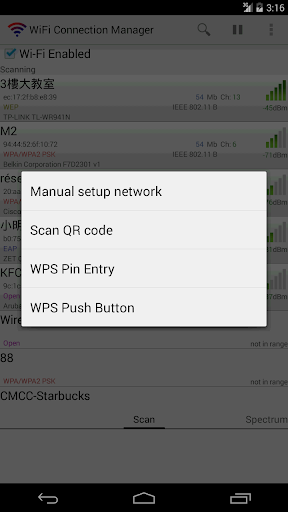
6. Add/Connect to certain hidden SSID network (depends on device and network conditions).
7. Manual add network, with special support for EAP/LEAP encrypted network.
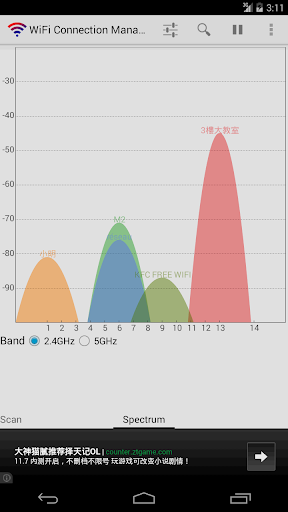
8. Detailed network information, network bandwidth, channel and network type.
9. Auto detect Web Authentication.
10. Backup/Restore saved networks.
11. Add/Share Wi-Fi network with QR code.
12. Arrange network connecting priority.
13. WPS (Wi-Fi Protected Setup) support for Android 4.0 or above devices.
14. Automatical switch between saved networks when signal is not ideal.
15. Wi-Fi tether (Wi-Fi Hotspot) support.
About the required permissions:
Camera is for adding Wi-Fi network via QR code.
Phone and Internet is for the AdMob plug-in made by Google.
Storage is for backup and restore saved network.