Reescrever Texto
com.reescrever.textos.enzipe
View detailed information for Reescrever Texto — ratings, download counts, screenshots, pricing and developer details. See integrated SDKs and related technical data.

Screenshots

Description
Rewrite Text helps students and writers easily change text in seconds. Our text changer app is free and you can use it without worrying about purchasing a paid plan.
Our online text rewrite app is based on advanced AI algorithms that allow you to make smart changes to your text automatically. The context of the text will remain unchanged, but the wording will be changed intelligently.
We do not use or store your provided data and information on our servers. You can use this app without worrying about data sharing or data breaches. Rewrite Text is 100% safe.
How to use Rewrite Text app?
Here are simple steps below to use Rewrite Text app:
1.Download and open the app.
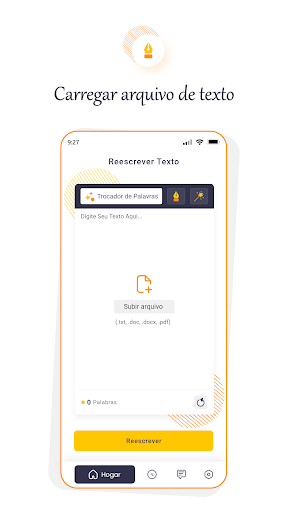
2.Type/paste or upload a file of your text directly from your device storage.
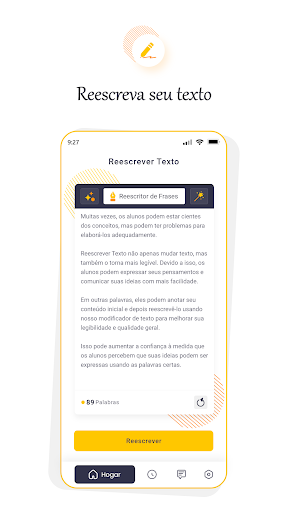
3.Select the required rewrite mode.
4.Start the process by tapping the “Rewrite” button.
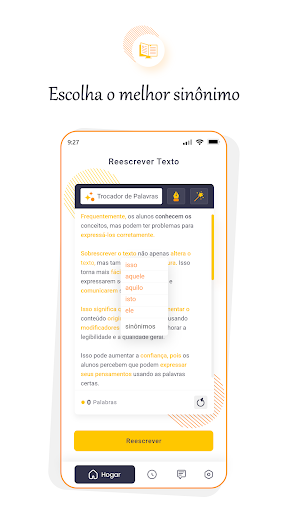
5. If you want to replace the changed words in the output, you can tap on them and select an alternative word.
6.After rewriting, you can copy the text to the clipboard or download it to your device.
Features of Rewrite Text
Here are some of the top features you can enjoy with our app:
free to use
There are no subscriptions that you have to worry about when it comes to using our app. You also don't need to sign up or create an account. You can start using Text Rewrite immediately after installing it.
Various modes available
You can choose three different rewrite modes when using this app. The mode names are as follows:
1. Word Changer
2. Phrase Rewriter
3.Plagiarism Remover
History tab
If you want to access an older file from the app, you can tap on the History option. In the History tab, you will be able to find the previous rewritten texts. You can download them to your device.
upload feature
This is yet another useful feature that you can use in our app. Instead of wasting time copying and pasting content into the input field, you can directly select a file from your device's local storage.
Useful post-processing features
Once the rewrite process is complete, there are several post-processing options you can use. The 'Copy' button will copy the text to the clipboard, while the 'Download' button will save the output to your device as a PDF file. You can also tap the round arrow button to restart the process.