AdminPlus
com.rediker.adminplusmobile
View detailed information for AdminPlus — ratings, download counts, screenshots, pricing and developer details. See integrated SDKs and related technical data.
- No items.
Screenshots
Description
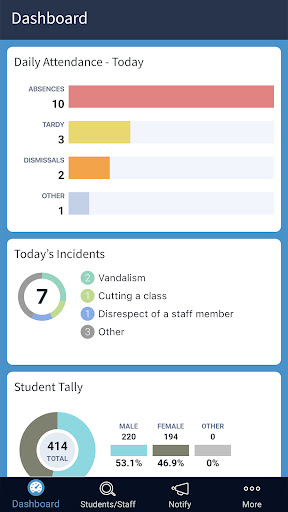
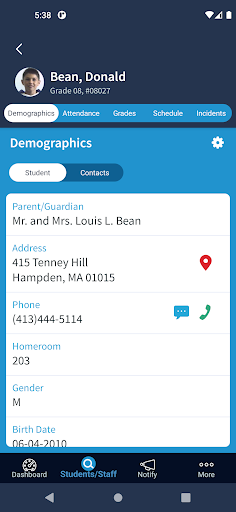
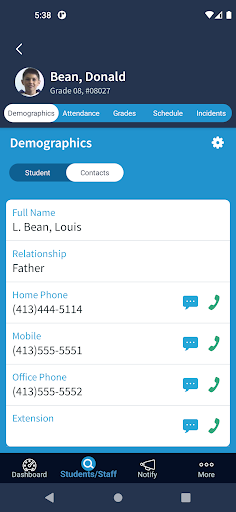
Easily search and scroll through all students, staff, and contacts to quickly call, text, or email. Users can easily switch between schools within the app. Access student demographic fields such as allergy information and locker combinations. See when a student is absent or tardy. Know what class a student is supposed to be in at any given time. Assess how a student is performing in school by viewing his or her grades. Enter new discipline incidents. Use AP Notify features to reach contacts via email, text, and voice message.
Student Demographics: Choose any of the AdminPlus database fields to view in the AdminPlus Mobile App, including contact database fields and alert fields. Filter and scroll through all students, staff, and contacts to quickly call, email, or text.
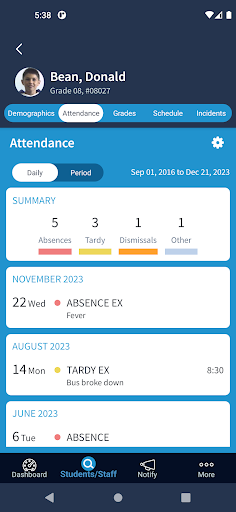
Attendance: See when a student is absent or tardy. View summary totals and the list of events.
Discipline & Incident Reporting: View previous infraction details and add new incidents while at the scene. The penalty summary shows only the “penalty” with a total for Served or Outstanding for the date range, followed by a list of incidents.
Student Schedules: Know what class a student is scheduled to be in at any time. Display block names, times, and teacher name. An important security feature, the mobile app highlights the class the student should be in during the current period. Use settings to choose rotation and section terms.
Grades and GPAs: Assess how a student is performing by viewing their grades. See grades, skills, and GPAs. Selected marking period grades, course name, teacher and comments are displayed. Selecting a class will display additional marking period grades.
Notifications with AP Notify: AP Notify features are now included in the AdminPlus mobile app. Quickly notify thousands of contacts within your school community via email, text, and voice message, without having to import data. Note: requires AP Notify as part of the AdminPlus SIS.
NOTE: You must have the PlusPortals installed to use this app in conjunction with AdminPlus. Please contact Rediker Software at 800-213-9860 to add PlusPortals and enhance your current AP products.
Requires version Android 5.0 or higher.