Velos Expense
com.radiuspaymentsolutions.velosexpenses
View detailed information for Velos Expense — ratings, download counts, screenshots, pricing and developer details. See integrated SDKs and related technical data.

Screenshots


Description
With the Velos Expense app, you can easily manage your business expenses wherever you are. You can submit expense claims, review and approve them, and export data to your accounting software whilst you’re on the go.
The Velos Expense app offers a wide range of benefits, including:
- User-friendly interface
- Live Velos card transaction feed
- Simple out-of-pocket expense submission
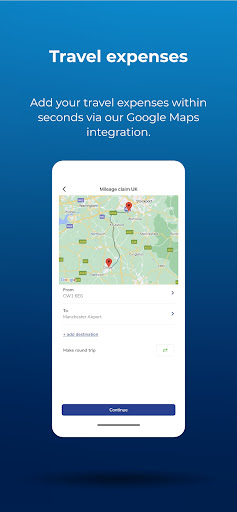
- Innovative Google Maps integration for travel expense claims
- Authorisation flows for automated approval
- Seamless integration with more than 20 accounting and ERP software providers, including Quickbooks, Xero, Sage, and Microsoft Dynamics 365
Transactions are logged instantly:
Whenever you make a purchase with your Velos card, it will be logged instantly in the Velos Expenses platform. If further validation is required, you can record additional transaction details by scanning receipts with your camera in the Velos Expense app. OCR (Optical Character Recognition) extracts the data and automatically populates recognised fields, such as purchase date, total amount, and VAT amount.
Out-of-pocket expenses:
If you make a purchase with cash or a card that is not provided by Velos, you can easily log the transaction using the Velos Expense app. After scanning the receipt with their camera, OCR (Optical Character Recognition) will automatically populate the fields required to log an expense. So, whether you spend with a Velos card or an alternative payment method, each and every transaction can be logged in seconds.
Effortless approval:
You can review spending as it happens and easily approve expenses, either manually or by creating rules that automate authorisation. What’s more, you can easily export your expenses data to your accounting system to make for easy month–end reconciliation.
Seamless integration:
The Velos Expense app seamlessly integrates with more than 20 accounting and ERP software providers, including Quickbooks, Xero, Sage and Microsoft Dynamics 365. This enables you to export your expenses to your accounting or ERP system as individual lines or as reports, as well as storing receipts as attachments.