PutEmoji - Put Emoji On Video
com.putemoji.app
View detailed information for PutEmoji - Put Emoji On Video — ratings, download counts, screenshots, pricing and developer details. See integrated SDKs and related technical data.
Screenshots

Description
Use PutEmoji to make video memes and add images and text to any video to share with friends in GIF & MP4 format
PutEmoji lets you overlay images and texts on videos automatically (with the help of a face tracker and motion tracker) and manually, producing very creative memes in .mp4 and .gif formats.
When is PutEmoji useful?
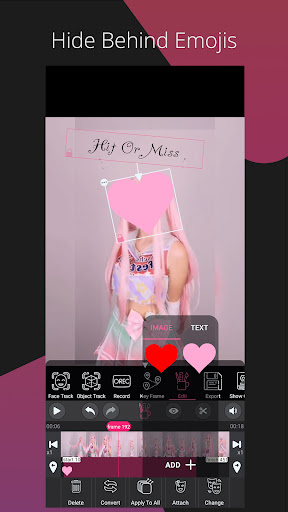
1-Whenever you need to cover a part of a video with specific content, PutEmoji with its unique features is the best solution.
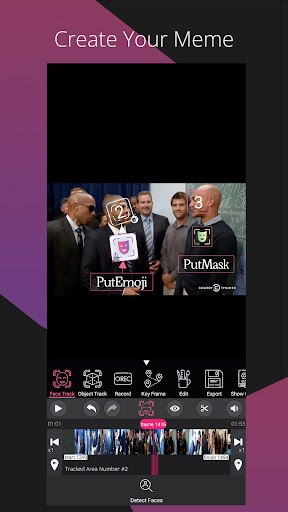
2-When you need to hide your face, you can easily do that by adding a text or an image to your face. PutEmoji will track your face automatically and apply the image or text to your face.
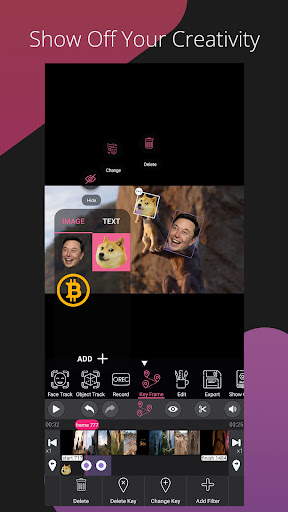
3-If you would like to add a picture or text to your video and attach it to an object, PutEmoji can help you with their motion tracker.
4-If you need to make a gif meme, PutEmoji allows you to do so with just a click of a button
Why is PutEmoji a unique solution in this field?
There is only one app that has an object (motion) and face tracking feature. These trackers can store any image, any text, anything!
Trackers Details:
*High Face Detection Power :
PutEmoji is able to detect size and angle any faces, even a small square with dimensions of 10 by 10 pixels and at any angle (full face, half face). PutEmoji offers you this feature for the first time at smartphone level.
*Two-way Video Processing:
When you command PutEmoji to track a face, it will begin processing both forward and backward video and face detection at the same time (up to 300 FPS), which is also introduced at the smartphone level for the first time by PutEmoji!
*Object Tracking:
PutEmoji can track any motion in a video. The object tracking process is two-way as well and you can watch the results of tracking while it is tracking your object.
*Manually:
By moving your fingers, you can move your texts and photos like a puppeteer
*Using Key Frame:
You can move Texts and images between different keyframes by specifying keyframes.
*Edit Video Based On Frame Number:
Using our tools, we show you the number of every frame so you can edit them one by one.
*Save The Work You've Done:
The information about editing can be saved.