Photo Video Maker with Song
com.photovideo.slideshowmaker
View detailed information for Photo Video Maker with Song — ratings, download counts, screenshots, pricing and developer details. See integrated SDKs and related technical data.

Screenshots


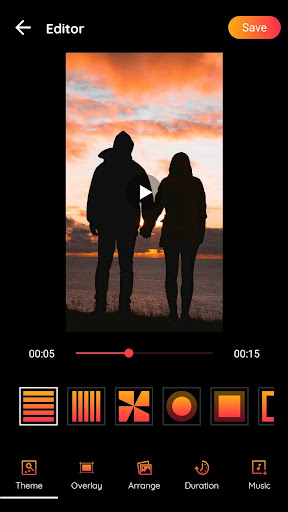
Description
Photo Video Maker with Song app let's you easily create videos with your own photos, add your favorite music track, write text or name, apply various frames, apply color effects.
Photo Video Maker app is one of the best applications for creating videos from images, creating image slideshow, creating image animated video with music on your device.
The app provides you with a variety of beautiful animated themes to create unique videos. Besides, whether the speed of your video is fast or slow depends on the duration you choose.
Photo Video Maker has a lot of wonderful overlay gradient effects which are free. All you need is just select overlay and make video attractive.
Create Video In Just Minute :
1. Select Pictures From Gallery.
2. Adjust the Position with drag and drop.
3. Apply Theme, Effects, Add Frames, Preview then Save.
4. Share it with your Social Media.
Features:
1. You can choose animations theme for your video.
2. Overlay themes can let your video more catch eyes.
3. Change position of picture using drag and drop features.
4. Can change animation duration of image.
5. Find latest Music which fit to your video.
6. Preview your video with your animation effect and overlay added.
7. Export fullscreen video in HD quality.
8. Share with video with your social media.