Compress Image - MB to KB
com.photoresizer.imagecompress
View detailed information for Compress Image - MB to KB — ratings, download counts, screenshots, pricing and developer details. See integrated SDKs and related technical data.

Screenshots
Description
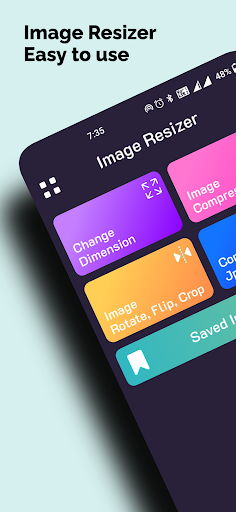
Welcome to 𝗜𝗺𝗮𝗴𝗲 𝗖𝗼𝗺𝗽𝗿𝗲𝘀𝘀𝗼𝗿 - 𝗠𝗕 𝘁𝗼 𝗞𝗕 - your ultimate solution for reducing image sizes with ease and efficiency! With this powerful app, you can compress large images to smaller sizes, resize photos, convert images to different formats (such as PNG, JPG, and WebP), crop and flip images, compress multiple images in bulk, and share your compressed images effortlessly.
𝗞𝗲𝘆 𝗙𝗲𝗮𝘁𝘂𝗿𝗲𝘀:
𝟭。 𝗖𝗼𝗺𝗽𝗿𝗲𝘀𝘀 𝗜𝗺𝗮𝗴𝗲 𝗦𝗶𝘇𝗲:
Reduce the size of your images from MB to KB without compromising on quality. Our advanced compression algorithm ensures that your images retain their clarity while significantly reducing their file size.
𝟮。 𝗣𝗵𝗼𝘁𝗼 𝗥𝗲𝘀𝗶𝘇𝗲𝗿:
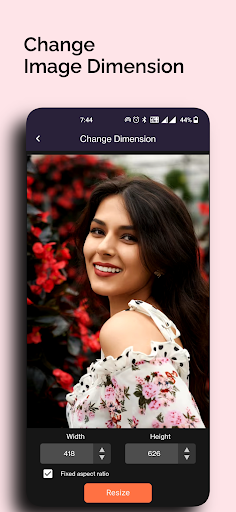
Resize your images to your desired dimensions with just a few taps. Whether you need to resize your photos for social media, email, or printing, our app makes it quick and easy to adjust the size of your images.
𝟯。 𝗜𝗺𝗮𝗴𝗲 𝗖𝗼𝗻𝘃𝗲𝗿𝘁 (𝗣𝗡𝗚, 𝗝𝗣𝗚, 𝗪𝗲𝗯𝗣):
Convert your images to different formats, including PNG, JPG, and WebP, to suit your specific needs. Our app supports a wide range of image formats, allowing you to easily convert your images to the format that works best for you.
𝟰。 𝗜𝗺𝗮𝗴𝗲 𝗖𝗿𝗼𝗽 & 𝗙𝗹𝗶𝗽:
Crop and flip your images to remove unwanted areas or adjust the composition. With our intuitive cropping and flipping tools, you can quickly enhance the appearance of your images and make them look their best.
𝟱。 𝗠𝘂𝗹𝘁𝗶𝗽𝗹𝗲 (𝗕𝘂𝗹𝗸) 𝗜𝗺𝗮𝗴𝗲 𝗖𝗼𝗺𝗽𝗿𝗲𝘀𝘀𝗼𝗿:
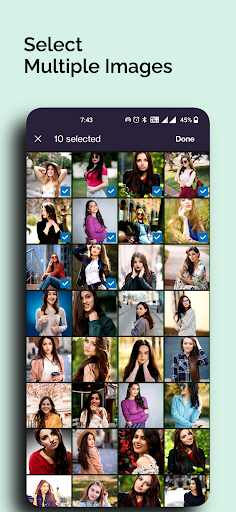
Compress multiple images at once with our bulk compression feature. Simply select the images you want to compress, and our app will process them all simultaneously, saving you time and effort.
𝟲。 𝗦𝗵𝗮𝗿𝗲 𝗜𝗺𝗮𝗴𝗲:
Share your compressed images directly from the app to your favourite social media platforms, messaging apps, or email. With just a few taps, you can easily share your images with friends, family, or colleagues.
Whether you're a professional photographer, a social media enthusiast, or just someone who wants to free up space on their device, 𝗜𝗺𝗮𝗴𝗲 𝗖𝗼𝗺𝗽𝗿𝗲𝘀𝘀𝗼𝗿 - 𝗠𝗕 𝘁𝗼 𝗞𝗕 is the perfect solution for all your image compression needs. Use the app now and start compressing your images with ease!