Phone Cleaner: Virus Remover
com.phonecleaner.junkcleaner.viruscleaner.antivirus.virusscan
View detailed information for Phone Cleaner: Virus Remover — ratings, download counts, screenshots, pricing and developer details. See integrated SDKs and related technical data.
- No items.

Screenshots
Description
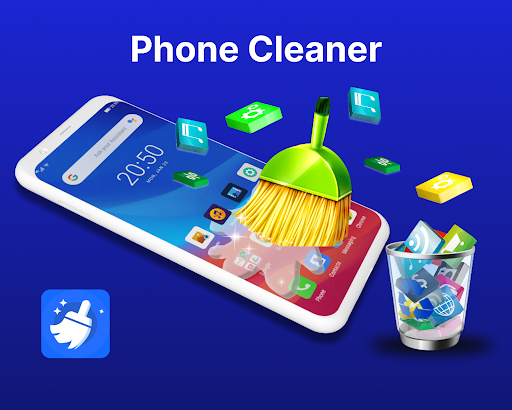
Phone Cleaner App Provide Features like Junk Cleaner and Virus Remover.
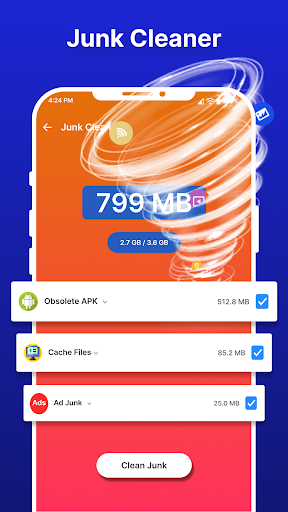
The junk Cleaner app helps you delete junk files and the virus cleaner feature performs a virus scan. Phone Cleaner App analyzes the phone, and deletes useless files like obstacle apk and temp files with your permission. In the app of virus removal for Android™, you can run a virus scan to detect and eliminate any potential threats. This Virus Remover app uses the third-party SDK of Trustlook to remove viruses.
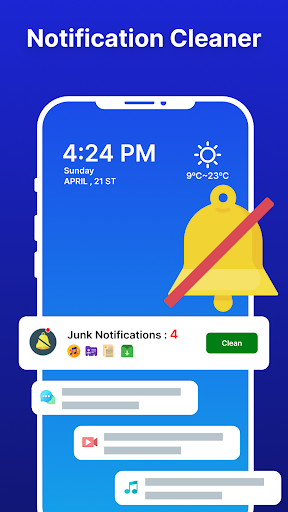
You just need a single tap to start the process of delete junk files within the Junk Cleaner app. The phone cleaner app works as an antivirus that will remove virus and give a better experience. A junk cleaner and Virus Remover app will bring you to the default notification setting page of the device, where you can turn off app notifications and bring all junk notifications in single notification.
Here is a detail of each feature of the Virus Scanner App:
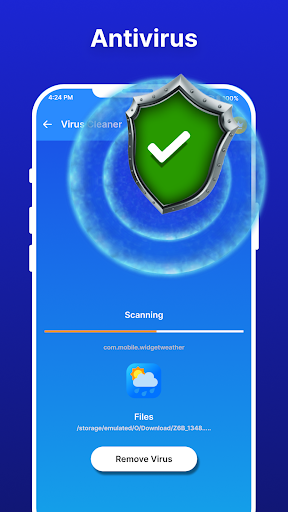
👉 Virus cleaner:
The Virus Remover app protects your phone from threats by using a junk cleaner. It will Perform a Virus scan and free your phone from viruses, malicious files. On completion of the virus scan, the result screen appears where you can see the list of affected files.
👉 Junk Cleaner:
Use the Junk Cleaner Feature of Virus Remover app to Delete junk files and release your phone from temp and unwanted files.
👉 Big Files & Duplicate Photos Cleaner:
In the Duplicate Photos Cleaner app, you can see the duplicate images and remove them easily. There is an option to view different media files, so you can remove any big file.
👉 Turn off Notifications:
Use the notification Cleaner option of the phone cleaner app to turn off notifications that disturbs you.
⚠️ Important Notice:
Please read the Privacy Policy of the Trustlook SDK as it is used for Virus Scanner and deleting junk files.
We need the following permission to start a junk file scan.
MANAGE_EXTERNAL_STORAGE permission
👋 Contact Us:
Please read our privacy policy before downloading and using the app. If you have any problems in the application related to anything, you can easily contact us, we will help you quickly.
mail: gamescolony.help@gmail.com