한자변환(漢字變換)
com.phasis.android.notepadfree
View detailed information for 한자변환(漢字變換) — ratings, download counts, screenshots, pricing and developer details. See integrated SDKs and related technical data.
- No items.

Screenshots

Description
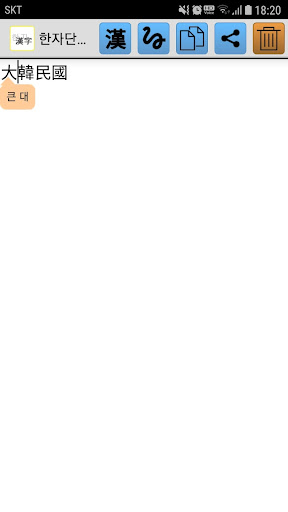
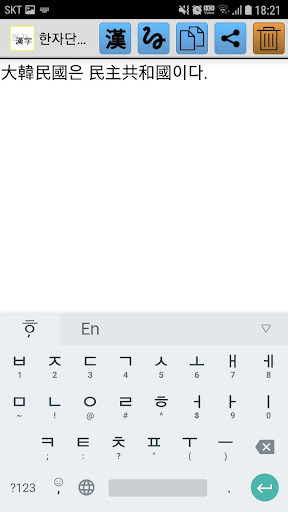
You can type Hangul and input kanji corresponding to the note.
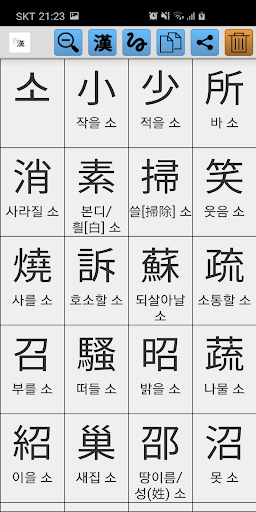
Supports 27,484 Kanji based on Unicode 3.0.
You can also enter special symbols using the alphabetic characters such as ㄲㄲ ㄷ ㄷ ㄷ ㄸ ㅃ ㅃ ㅊ ㅊ ㅌ.
You can paste the sentence you typed in text message or Mail using the copy function.
* There is no word translation function. If you want to convert Hanja words, please install the Hanja word conversion app.
[How to use]
When you start the application, a screen for entering a sentence appears.
Type the Hangul character you want to change to Hanja.
Press the Hanja button at the top.
Select the desired Hanja from the Hanja list displayed on the screen.
The sentence is automatically saved when you exit the application.
Press the Hanja button on the right side of Hanja to display the Hanja's hoon.
If you press the handwriting button and draw a Chinese character, you can see and input the Chinese character.
Pressing the Copy button will save the content to a temporary storage on your mobile device.
After executing the application such as sending mail, sending text, and Kakao Talk, the input screen is displayed on the input screen.
You can paste it into the input window by selecting Paste from the pop-up menu that appears when you press it for about 2 seconds.
Click the Share button to send your input to another app.