PDF Reader App - Read All PDF
com.pdftools.pdfviewer.pdfreader
View detailed information for PDF Reader App - Read All PDF — ratings, download counts, screenshots, pricing and developer details. See integrated SDKs and related technical data.
Screenshots

Description
PDF Reader is a fast PDF reader that allows you to open PDF files, search for PDF documents or ebooks, edit, print, scan, read and save them.
The popular office application PDF Reader makes it easy to read documents on an Android device while offline and supports reading ebooks. To read PDF-formatted documents, photos, business cards, notes and ebooks, use this reader for Android.
PDF reader and viewer for android
With this app, you can view, create, edit, and share PDF files at any time. Use a free PDF reader for Android to navigate even the complex PDF files or PDF documents.
Read All PDF Documents
This PDF viewer is also a fast PDF reader. The free PDF reader makes it simple to increase your productivity with only one click! To arrange your Files, use a PDF viewer immediately!
Features:
- Easy, fast, and simple eBook reader app
- Offline PDF Book Reader
- This PDF Reader app is available for free.
- Offline PDF Viewer for Android
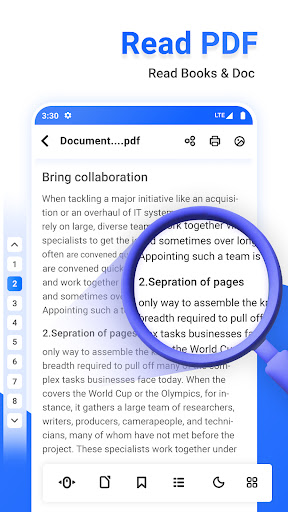
- Reading PDF files in Light and Dark Mode
- Switch the Dark Mode for PDF reading
- Create a PDF bookmark for later use.
- Fast navigate to a specific page number
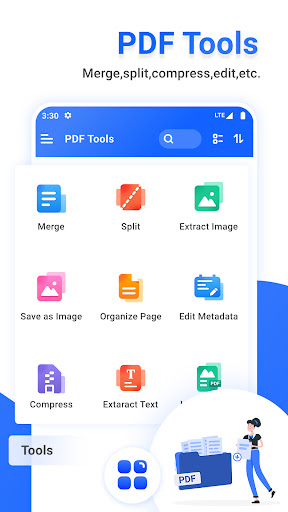
- PDF to Image, Image to PDF, PDF Merge and PDF Split tools available
- Quick and fast page scrolling in vertical and horizontal directions
- Data table and text search
- Reading PDF documents, files and ebooks.
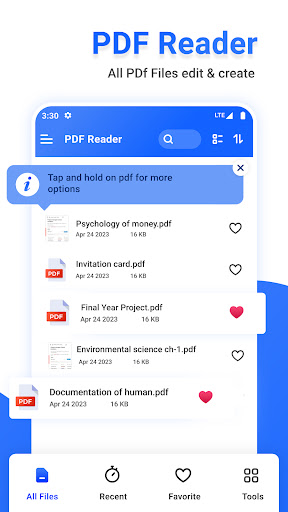
- Quickly find your PDF documents and files by name
By making it simple to view, search, and manage PDF files on your Android phone, pdf viewers maximise productivity.
All mobile PDF readers have options for full-screen viewing, bookmarking, and document zoom.
PDF Convertor and PDF Tools:
Images to PDF: Take a picture of a document and save it as a PDF.
PDF to Image: Select the desired PDF Pages and convert them to images.
Merge PDF: combine two or more PDF files into one PDF
PDF Split: Divide a PDF file into multiple PDF files.
You can read files and share files with friends using this PDF reader. The best app for reading eBooks is this one. To read your PDF files, use a PDF reader.
Enjoy all the features you require in a PDF Reader.