PDF Viewer - All PDF Reader
com.pdf.pdfreader.pdfviewer.editor
View detailed information for PDF Viewer - All PDF Reader — ratings, download counts, screenshots, pricing and developer details. See integrated SDKs and related technical data.
- No items.

Screenshots


Description
PDF Viewer - All PDF Reader - Edit & View PDF, Word, Excel & PowerPoint on Android
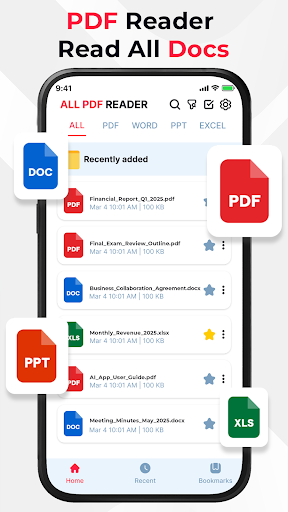
Looking for a smart and powerful document editor for Android? This PDF Viewer - All PDF Reader app is your complete solution to open, view, and edit all major document types including PDF files, Word documents (DOC, DOCX), Excel spreadsheets (XLS, XLSX), and PowerPoint presentations (PPT, PPTX) - all in one convenient and efficient interface.
What Makes PDF Viewer - All PDF Reader Stand Out?
✅ PDF Tools: Beyond just reading - highlight text, underline key points, and freely draw or annotate using the brush tool. Ideal for reviewing contracts, study materials, or reports.
✅ Word Editor (DOC & DOCX): Open and edit Word files with support for text formatting, font styles, alignment, bullet points, and more. Perfect for updating resumes, writing reports, or editing notes on the go.
✅ Excel Editor (XLS & XLSX): View and edit spreadsheets with full access to cells, columns, and rows. Enter data, apply basic formulas, format cells, and manage tables - ideal for budgeting, organizing work, or reviewing numbers.
✅ PowerPoint Editor (PPT & PPTX): Open and edit presentations in real-time - modify slide text, insert photo, shape and adjust basic formatting. Great for making quick updates before meetings or lectures.
Key Features & Tools
⭐ All-in-One Document Editor: Seamlessly edit and manage PDF, DOC, DOCX, XLS, XLSX, PPT, and PPTX files.
⭐ Editing Support: Modify text, format content, and work across multiple file types with ease.
⭐ Fast Loading Performance: Open large files quickly with minimal wait time.
⭐ Smooth Navigation: Effortlessly scroll through pages, sheets, or slides.
⭐ Zoom In/Out: Customize your view for better readability or precision while editing.
⭐ Portrait & Landscape Modes: Flexible viewing and editing experience in any orientation.
⭐ User-Friendly Interface: Clean, intuitive design for efficient workflows.
⭐ Secure Local Access: Works entirely offline with files stored on your device - no cloud upload required.
Who Is It For?
✨ Students: Highlight key points in PDFs, edit lecture notes, update assignments, or revise slides.
✨ Professionals: Annotate documents, update spreadsheets, and tweak presentations - all while on the move.
✨ Everyone: A handy tool to manage, edit, and organize your personal or work-related documents in one place.
Stay productive and organized with this powerful document editing app. Whether you're updating a Word doc, editing an Excel sheet, or marking up a PDF - everything you need is just a tap away.
Download now and transform your Android device into a portable office - fast, flexible, and always ready.