ELIIY CLOUD for POWER iE5 GRID
com.pcs_monitor_elp
View detailed information for ELIIY CLOUD for POWER iE5 GRID — ratings, download counts, screenshots, pricing and developer details. See integrated SDKs and related technical data.
- No items.

Screenshots

Description
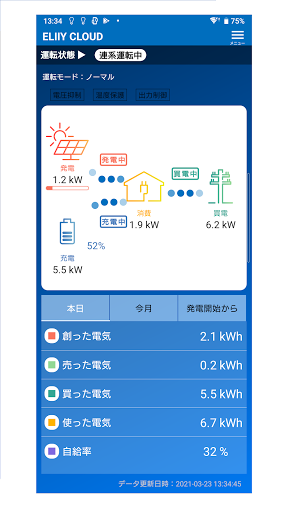
This is a controller application dedicated to Erie Power's hybrid power storage system "POWER iE5 GRID". It graphically displays the system status such as the status of solar power generation, power consumption, charge / discharge status of storage battery, and remaining amount. You can also easily change the operation mode of the storage battery.
[Check the system status at a glance on the home screen]
■ You can check at a glance the power purchased from the electric power company, the power sold, the power charged and discharged from the storage battery, and the power generated by solar power.
■ Displays the operating status of the power storage system.
■ Tap the solar panel icon or storage battery icon to display the detailed operating status of each.
■ Displays daily, monthly, and total operational results.
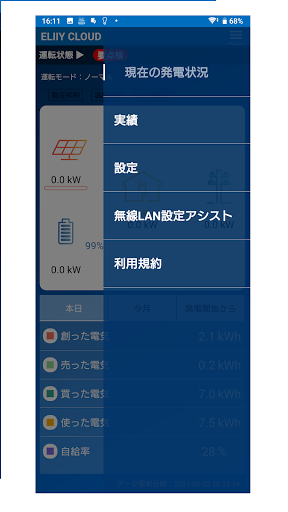
[Operate settings such as operation mode]
■ The operation mode of the storage battery can be selected from "normal", "energy saving", "smart", and "storage".
■ Charging / discharging time, single-use level, charging level, etc. can be set according to each mode.
[Notice important information]
■ You will be notified by blinking the "Notification" icon on the home screen or by push notification.
■ Tap the "Notification" icon or the banner displayed by push notification to display the content of the notification.
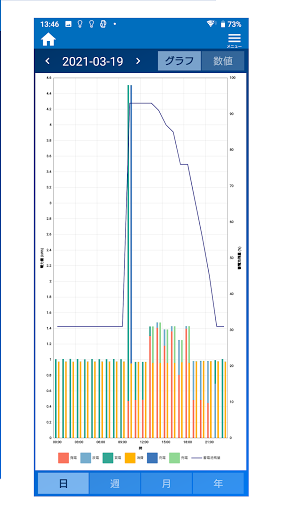
[Check the transition of various electric energy so far with a graph]
■ The operation results of power generation, purchase, sale, power consumption, and charging / discharging of storage batteries are displayed in a graph.
■ The graph can be selected from the units of "day", "week", "month", and "year", and can be checked in chronological order.