ClickPark
com.parking.clickpark
View detailed information for ClickPark — ratings, download counts, screenshots, pricing and developer details. See integrated SDKs and related technical data.

Screenshots

Description
- No coins and the need for parking machines.
- Payment and extension of parking directly from the smartphone.
- The "Where's My Car" feature reliably remembers the last set location of your car.
"Just a few clicks" principle.
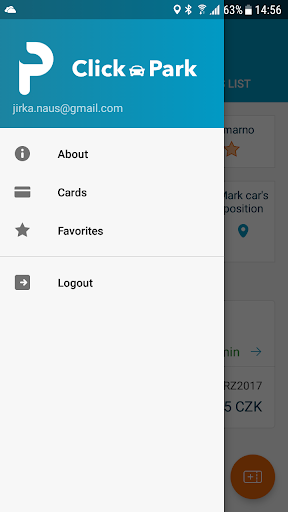
Favorites: My favorite parking, instant payment, parking and payment history.
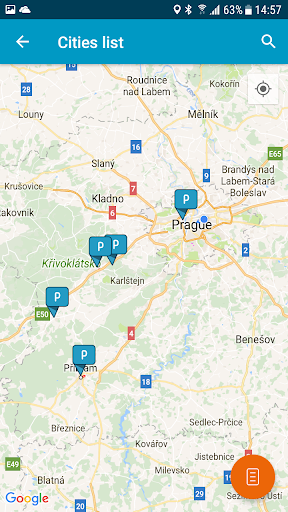
Simple localization and search in maps, including parking zone tariffs.
Navigate in the parking zone directly on your phone.
How to install and register a user account.
Download the app to your phone and launch it.
Create a user account: enter your email address and choose a password. A message will be sent to this email address and one click registration will be completed.
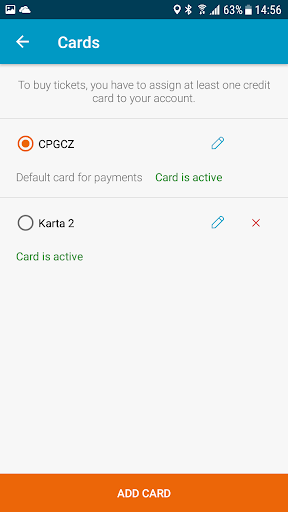
To pay for parking fees, you must assign a payment card to your account that has activated Internet payments. From the My Payments tab, select "Add Credit Card". You will be redirected to a secure online payment immediately, where the card will be authorized with a CZK 1 initialization payment. This will verify the validity and security of your card and the system will be fully prepared for safe use according to the ČSOB standard. The amount of CZK 1 will be returned to your account. Upon successful payment, your account is paired with your credit card. All sensitive data are secured and stored in the system of ČSOB bank.
Thank you for your trust.
Purchase a parking ticket.
Now you can choose the place and time of parking via the "Buy ticket" icon and confirm that you agree with the parking fee and simply make a payment through the secured gateway.
If necessary, extend the parking ticket simply without walking to parking terminal.