Ringtones Melbourne Sounds
com.palmeralabs.ringtones.melbourne_house_ringtones_alarms
View detailed information for Ringtones Melbourne Sounds — ratings, download counts, screenshots, pricing and developer details. See integrated SDKs and related technical data.
Screenshots


Description
Set a Melbourne ringtone, alarm or notification. More than 25 tones to choose.
Tired of your same ringtone? No problem! Set a new Melbourne tune from our library of Melbourne songs we included in this app.
You can choose from more than 25 different audios to personalize your ringtones.
Not only that: you can set also alarms and notification tones.
Name of tunes included in the app:
- Bassie
- Bells
- Bitly
- Blink
- Boogie
- Broken
- Child
- Dante
- Doh
- Doomed
- Eh eh
- Emeron
- Funk
- Glitchie
- Gross
- Lectro
- Mang
- Monie
- Nan
- Nova
- Sky
- Steps
- Trump
- Wet
- Xenon
- Ziggie
- Zon
The variety of sounds and audios will let you change also from time to time without repeating.
Original and fresh sounds, tunes and beats you can't find in other apps.
Some of the these tunes have been produced by professional producers, dj's and beatmakers for audio projects and libraries used around the world, based on loops, samples and sounds inspired by hits.
Future updates will include the features of sharing, more tunes, and singing over the beats and samples
Permissions needed for the app to work:
---------------------------------------
-Change system settings: needed to change your ringtone
-Access media files: needed to install the audio in your phone so it can be used as a ringtone
How to use:
-----------
Easy simple!
Browse through the audio list, playing the songs until you find a tune you like.
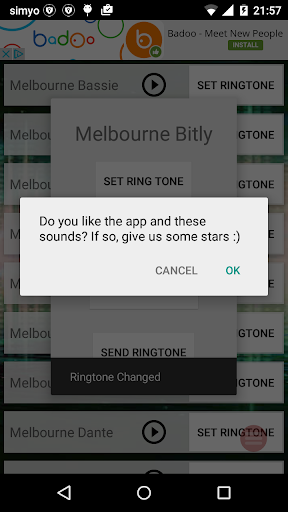
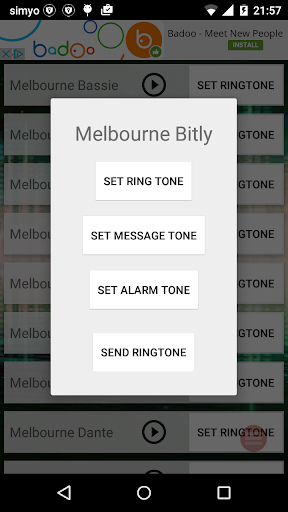
Once you find it, click on "Set ringtone". A popup will appear where you can choose to install as a Ringtone, Notification Tone or Alarm.
If you select the alarm, you will be directed to the Alarm settings to set it in whatever alarm you want to use it.
And that's it, very easy and simple way to personalize your tunes.
Contact:
--------
If you have any suggestion or comment, don't doubt and contact us.
And Finally, if you have the time, we appreciate and honest review in the store page.
Thanks for your download