Merry Christmas Photo Stickers
com.palmeralabs.christmas_stickers
View detailed information for Merry Christmas Photo Stickers — ratings, download counts, screenshots, pricing and developer details. See integrated SDKs and related technical data.
Total installs
2.1M(2,157,159)
Rating
4.3(792 reviews)
Released
November 22, 2015
Last updated
August 24, 2025
Category
Photography
Developer
Palmera Labs
Developer details
Name
Palmera Labs
E-mail
palmeralabs@gmail.com
Website
unknown
Country
Spain
Address
unknown

Screenshots


Description
Christmas is just there, and occasion to meet with family a friends a have a great time together.
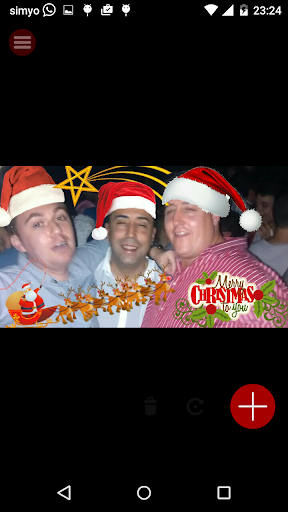
So get ready for it. Create awesome christmas postcards to surprise your friends and family with these app.
Make these holidays and the entrance to winter funnier creating a personalized postcard specially designed for them. The stickers will do the magic and will create laughs.
To do it just select a picture you have on your photo galleries or make one in the moment and start putting fun and fine christmas stickers on them
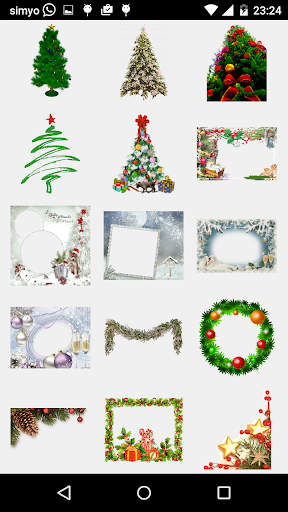
We have included the famous christmas stickers for you:
-Christmas trees
-Father Christmas
-Christmas hats and socks
-Motives
-Reindeer Sled/Sledges
-Ribbons
-Gits
-Snowmen
-Stars
-Lights & decoration
-Snow / winter layers
-And Merry Christmas / happy wishes texts
-Frames and photo frames
Everything you need to make to create a christmas postcard specially designed for friends and family
So, surprise your friends and family with this thug life maker really easy to use
How To use
1. Get inside the stickers app.
2. Select a picture from your gallery or take a picture with your camera in the moment
3. Check available stickers in the stickers gallery
4. Select a sticker and position it in the screen. You can magnify, zoom it and rotate until it gets placed in the right spot
5. Select more stickers and repeat until you are thug enough
6. You can also write some text, edit it. Select also font size and color and zoom it or rotate it
7. When you are good enough, save the picture in your phone. You can also send it to friends right there.
8. And that's it, you are cool enough, use it as many times as you want for free
Features:
# Easy to use. Easy interface and experience.
# For free, use it as many times as you want
# Variety of stickers
# Low space on your phone
# Load pictures or take them instantly with the app
###
Finally, Do you miss something? Just let us know and we'll update with the new stickers.
Any other request or comment? no problem, place a review or contact us and we'll check it out asap.
Have a great time with the app