Optiqo INSTA
com.optiqo.insta
View detailed information for Optiqo INSTA — ratings, download counts, screenshots, pricing and developer details. See integrated SDKs and related technical data.

Screenshots



Description
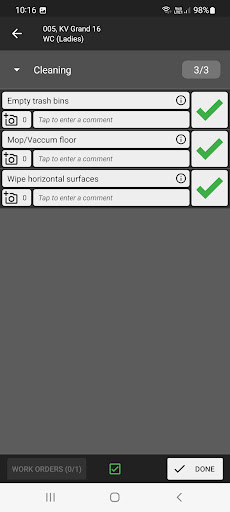
Perform and validate ongoing service tasks required by using Optiqo's NFC-based solution. Notifies staff when efforts need to be carried out in e.g. meeting rooms, kitchenettes, toilets based on agreed service levels.
Support for
- Customer-specific inspections with weighted points
- Work order management
- Damage reporting
- Drawings / maps / floorplans
- Photo and comments
- Off-line support
- Web-based admin
The tool handles random selections before each quality inspections, i.e. based on parameters that the user chooses, e.g. object group, certain type of services, quality profile, size of room, description, certain part of property or certain property, the system makes a random selection and presents suggestions on what should be included in the inspection.
When the selection and scope of the control is completed, the basis for the inspection can be made available in the performer's smartphone (Android or IOS).
In the app, the performer can get all the information about how / where and when the check should be done and it is possible to enter results in the mobile while the inspection is in progress. This applies regardless of whether the performer has mobile coverage or not.
During the inspection, the performer may receive information on the status of the inspection unit and also be notified if the entire sampling plan has been rejected. This information can also be deactivated in the web to obtain an objective measurement result.
When the check is complete, the result can be made available in the system's web interface. When the performer has reported back the completed check via their smartphone, the administrator can log in to the web interface and take part in the result.