Always visible volume booster
com.oksoft.alwaysbooster
View detailed information for Always visible volume booster — ratings, download counts, screenshots, pricing and developer details. See integrated SDKs and related technical data.
Total installs
146.5K(146,534)
Rating
3.9(8 reviews)
Released
August 21, 2020
Last updated
June 10, 2025
Category
Tools
Developer
OkSoft
Developer details
Name
OkSoft
E-mail
fish0486@gmail.com
Website
unknown
Country
South Korea
Address
unknown
Android SDKs
- No items.

Screenshots

Description
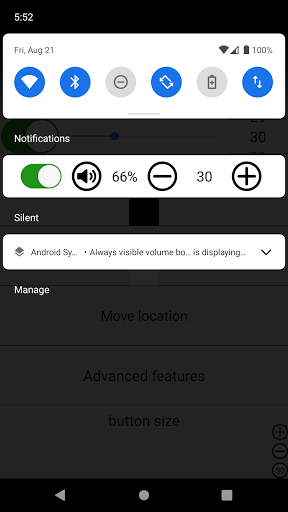
When the volume is low, it amplifies the volume when you want to listen at a higher volume than the maximum volume.
How to use: Click the button at the top, set the screen overlay permission, and set the button size to be larger than 0, then the volume button will appear. You can change the position or rotate the volume button in the advanced features.
Reason for using foreground service permission: When the volume button is shown on the screen, the foreground service is used and the service is stopped when the button is turned off.