OBDocker - OBD2 Car Scanner
com.obdocker.obdocker
View detailed information for OBDocker - OBD2 Car Scanner — ratings, download counts, screenshots, pricing and developer details. See integrated SDKs and related technical data.
Screenshots
Description
Crafted with user-friendliness and power in mind, OBDocker is a professional OBD2 car scanner app that empowers you to diagnose, service, and customize your vehicles with ease and precision.
*************************
KEY FEATURES
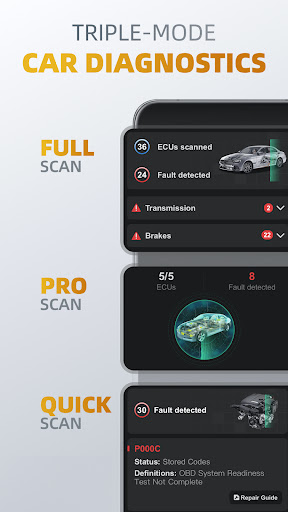
1️⃣Triple-Mode Diagnostics
○ Full-Systems Diagnose: One-Click OE-Level full-systems diagnostics.
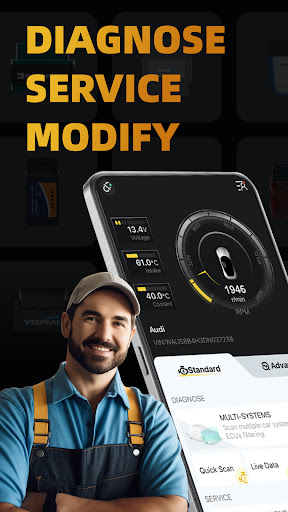
○ Multi-Systems Diagnose: Scan multiple systems through ECUs filtering such as TMS, SRS, ABS, TCM, BCM and many more.
○ Quick Scan: Swiftly read and clear engine fault codes to maintain a smooth drive.
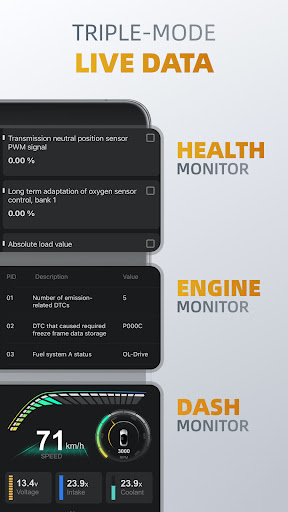
2️⃣Triple-Mode Live Data
○ Health Monitor: Track every systems performance by diving into real-time parameters.
○ Engine Monitor: Monitor your engine's performance.
○ Dash Monitor: Visualize your vehicle's metrics in real-time.
3️⃣Full-Cycle Service
○ Emissions Pre-check: Test your emissions and pass with confidence before your official check.
○ Control Tests: Perform EVAP Leak Test, DPF and Inducement System Reinitialization.
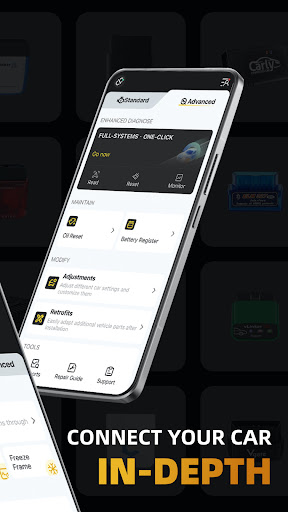
○ Oil Reset: Easily reset oil change reminders and maintenance lights to keep your car's records up to date.
○ Battery Registration: Register the battery replacement to notify the battery management.
4️⃣On-Click Modification
○ Adjustments: Adjust different car settings and customize them by one-click.
○ Retrofits: Easily adapt additional vehicle parts after installation.
*************************
OBD ADAPTERS
OBDocker requires a compatible OBD adapter to work. We recommend the following for the best experience:
- High Performance: Vlinker Series, OBDLink Series, MotorSure OBD Tool, Carista EVO.
- Middle Performance: All genuine adapters compatible with ELM327 / ELM329, including Veepeak Series, Vgate iCar Series, UniCarScan, NEXAS, Carista, Rodoil ScanX, and more.
- Low Performance (Not Recommended): Cheep Chinese clones ELM.
*************************
SUPPORTED CARS
OBDocker is compatible with a wide range of vehicles, covering both standard and advanced modes:
- Standard Mode: Universal compatibility with OBD2 / OBD-II or EOBD vehicles worldwide.
- Advanced Mode: Toyota, Lexus, Nissan, infiniti, Honda, Acura, Hyundai, Kia, Volkswagen, Audi, Skoda, SEAT, Mercedes-Benz, BMW, Mini, Porsche, Ford, Lincoln, Chevrolet, Cadillac, GMC, Buick. And still working really hard to add more…
*************************
PLANS:
OBDocker offers a free trial for full feature access. To unlock unlimited potential, choose from our Pro or Pro Max subscriptions.
NOTE:
Vehicle ECUs vary in the amount of sensors supported. This app can’t show you something, that is not provided by your car.