MOTOREX Easy Monitoring
com.motorex.easymonitoring
View detailed information for MOTOREX Easy Monitoring — ratings, download counts, screenshots, pricing and developer details. See integrated SDKs and related technical data.
Screenshots

Description
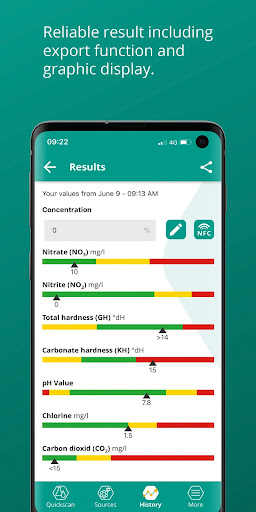
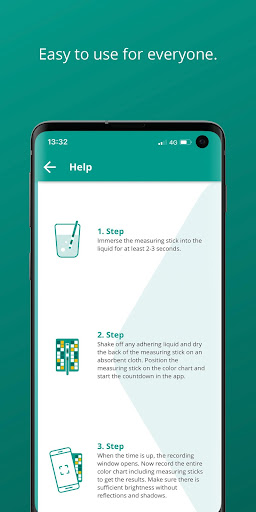
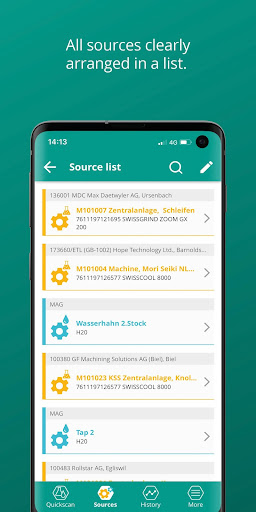
Download the free "EASY MONITORING APP" to your smartphone and start relaxed the new app. The application combines fast and precise reading of data using innovative photometric color scan technology. This type of measurement data is not only extremely fast, it is also really fun! Use the MOTOREX Color Card and follow the instructions in the APP. You can either start measuring directly with Quickscan and choose water or emulsions / solutions and dip the appropriate test stick into the liquid. Then press the Start button and align the stick on the color card accordingly. The Color Card is the basis of the system and with its help you can determine the values after 15 seconds using a smartphone camera. Find out how long you have to wait from the timer and hold your smartphone directly over the color card with the color stripe that you have now aligned. Note that the camera is unlocked for the APP. After recording, save the data directly or in the case of emulsions, you can now also enter the concentration. If you have a digital refractometer that supports NFC technology, you can read it into the APP by simply placing the smartphone on it. Of course, this can also be done manually by input, with a conventional refractometer through optical reading. Once saved, you will find the data in the History field at the bottom of the APP. If you have made several measurements for the same source / machine / system, the selection in the filter in the header of the APP is sufficient and the values are displayed graphically by turning the smartphone. With the function source, QR codes can be read directly and then the measurement can be started with the correct preselection.