Micromedex IV Compatibility
com.merative.compatibility
View detailed information for Micromedex IV Compatibility — ratings, download counts, screenshots, pricing and developer details. See integrated SDKs and related technical data.

Screenshots
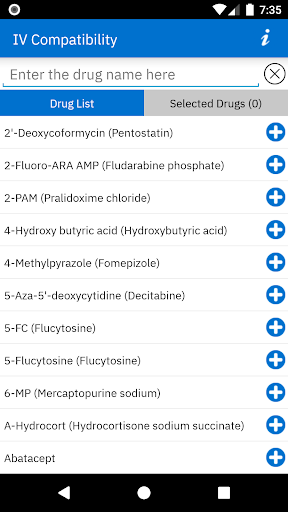


Description
The support of this app will be discontinued on Feb 20, 2025. Visit the Google Play Store to download the new Micromedex mobile app https://play.google.com/store/apps/details?id=com.micromedex.coremobile
When multiple IV medications are combined, the risk of complication is very real. Efficacy of one or more drugs can be reduced or a potentially dangerous incompatibility can occur. With this app you will have access to the largest, most comprehensive IV compatibility resource which:
• Enhances patient safety by pinpointing potentially dangerous combinations
• Helps clinicians interpret conflicting compatibility results by identifying contributing factors such as the physical compatibility, storage, study period, container and chemical stability
• Includes drug-solution compatibility results as well as drug-drug compatibility results when creating an admixture or administering via Y-Site.
Micromedex IV Compatibility is a reliable resource for on-the-go access to the industry’s most trusted clinical reference information, providing users with more informed treatment decisions at the point of care. An internet connection is not required, allowing you to make decisions with confidence at anytime, from anywhere.
Not sure if your institution subscribes to Merative Micromedex? Check with your Chief Medical Officer, Director of Pharmacy, Medical Librarian, or anyone else at your facility responsible for clinical reference information.
If the facility you work at subscribes to Merative Micromedex®, follow these instructions to obtain a password:
1. Login to Merative Micromedex through your subscribing facility
2. Click “Mobile Application Access” near the top of the application
3. Refer to the detailed downloading instructions, which include your password for activating the application at no charge.
If you cannot locate the “Mobile Application Access” link please contact support to receive your password at https://merative.my.site.com/mysupport/s/micromedex-support-request