Max Protractor
com.maxcom.maxprotractor
View detailed information for Max Protractor — ratings, download counts, screenshots, pricing and developer details. See integrated SDKs and related technical data.

Screenshots

Description
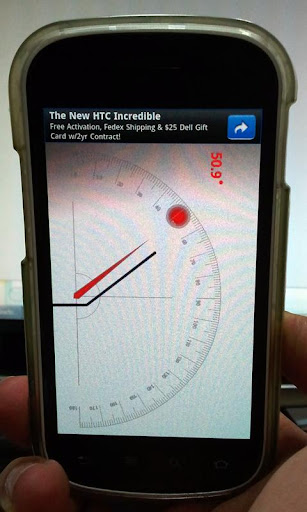
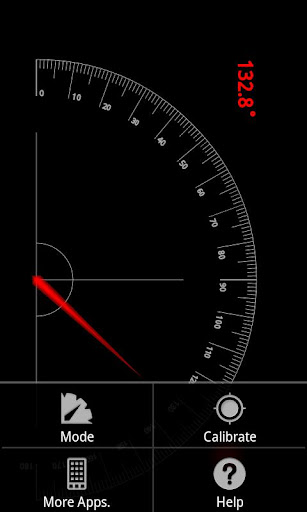
It is application for measuring angle with various method.
Main Function
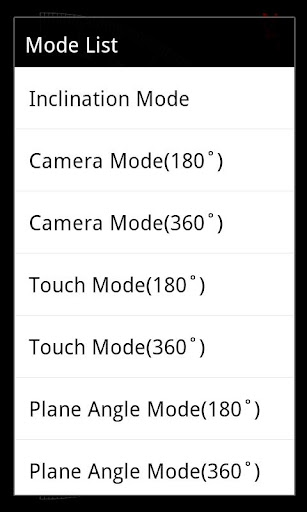
1. Various measuring method : Gravity Sensor, Camera, Touch, Magnetic Sensor etc.
2. Calibration : Calibration function makes easy and accurate measure when measuring angle with sensor.
Instruction
1. Plumb Mode
1) Set device in parallel to the baseline of the measuring object.
2) If you need, turn on the Camera by touching Camera button on the upper-right corner of the screen.
3) Read tilted Angle on the upper-left side of the screen.
2. Frame Mode
1) Set device in parallel to the baseline of the measuring object.
2) If you need, turn on the Camera by touching Camera button on the upper-right corner of the screen.
3) Read tilted Angle on the upper-left side of the screen.
3. Inclination Mode
1) Contact your device on the slope.
4. Touch Mode
1) Set device in parallel to the baseline of the measuring object.
2) If you need, turn on the Camera by touching Camera button on the upper-right corner of the screen.
3) Touch measured point and check the value of angle on screen.
5. Plane Angle Mode
1) Set device in parallel to the baseline of the measuring object.
2) Calibrate measuring value.
3) Rotate device to measure angle and check the value of angle on screen.
Reference
- Some device is difficult to measure when battery is low state. Especially, Plane Angle Mode because of Magnetic sensor.
- Can be a tolerance caused by sensor accuracy of device.