쿠키베베
com.makeshop.powerapp.cookiebebe
View detailed information for 쿠키베베 — ratings, download counts, screenshots, pricing and developer details. See integrated SDKs and related technical data.

Screenshots



Description
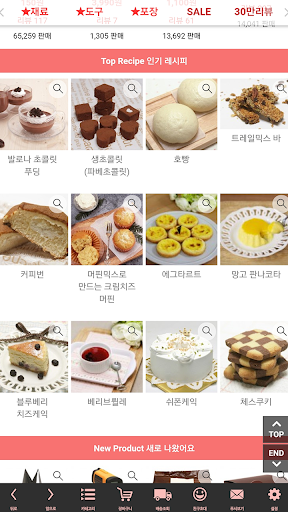
★Home baking shopping mall, pastry chef Seonyoung Jang, recipes, baking ingredients
- Over 500 moving baking recipes released, bakery ingredients/tools/packaging supplies sold
★Shopping mall preferred by public institutions such as schools, welfare centers, kindergartens, etc.
★There is a reason why bakeries, restaurants, and cafes have many regular customers.
Affordable wholesale price and quick delivery
★Optimized shopping for mobile screens
★Quick shipping, fast delivery
★Same-day shipping if ordered/paid before 5pm on weekdays
★Cookie Bebe app main features
-You will receive a coupon that can be used immediately after downloading and logging in.
-Basic purchase points + discount coupon given when installing the app + 2% automatic discount at any time only in the app
-Quick push notifications for sales and event news
Earn points just by receiving a push
■ Information on app access permissions
In accordance with Article 22-2 of the Act on Promotion of Information and Communications Network Utilization and Information Protection, etc., consent to ‘app access rights’ is obtained from users for the following purposes.
We only provide essential access to items that are absolutely necessary for the service.
You can use the service even if you do not allow optional access items, and the details are as follows.
[Contents about required access]
1. Android 6.0 or higher
● Phone: When running for the first time, access this function to identify the device.
● Save: Access this function when you want to upload a file, use a bottom button, or display a push image when writing a post.
[Contents about selective access]
- If there is a push function near the store, the location permissions below are included.
● Location: Access is made to confirm the customer's location and deliver valid information about the store.
[How to withdraw]
Settings > App or application > Select the app > Select permissions > Select consent or withdrawal of access permissions
※ However, if you run the app again after revoking the required access information, the screen requesting access permission will appear again.
2. Below Android 6.0
● Device ID and call information: When running for the first time, access this function to identify the device.
● Photo/Media/File: Access this function when you want to upload a file, use a bottom button, or display a push image when writing a post.
● Device and app history: Access this function to optimize the use of app services.
- If there is a push function near the store, the location permissions below are included.
● Location: Access is made to confirm the customer's location and deliver valid information about the store.
※ Please note that although the access content is the same depending on the version, the expression is different.
※ For versions lower than Android 6.0, individual consent to each item is not possible, so mandatory access consent is required for all items.
Therefore, we recommend checking whether the operating system of the terminal you are using can be upgraded to Android 6.0 or higher and upgrading.
However, even if the operating system is upgraded, the access permissions agreed to in the existing app do not change, so to reset the access permissions, you must delete and reinstall the app you have already installed.