Makeup Artist
com.makeover.makeover
View detailed information for Makeup Artist — ratings, download counts, screenshots, pricing and developer details. See integrated SDKs and related technical data.
- No items.

Screenshots


Description
Welcome to your very own personal makeover artist.
This Makeup Artist application can give you everything, you want to makeup yourself. Your can consider yourself as a makeup guru with a simple click or touch. You don't need to go any saloon or makeup parlor. For any kind of mid level to gorgeous level, simple to exclusive level makeup you can use our makeup artist app. Our makeup artist app can make you a makeup designer. You can get makeup ideas by using our makeup artist application. You can get these makeover ideas step by step from our makeup artist apps.
It's not easy to create your signature look or try out a new look. But our Makeup Artist apps can give you , your identical look.
You can give you a glamorous look easily. Your can makeup yourself with fun. Your can makeup every essential part of your body.
For example: If you open up the eye makeup section, you will get images and videos tutorial, where you will get to learn a lot of eye makeup styles and techniques step by step.
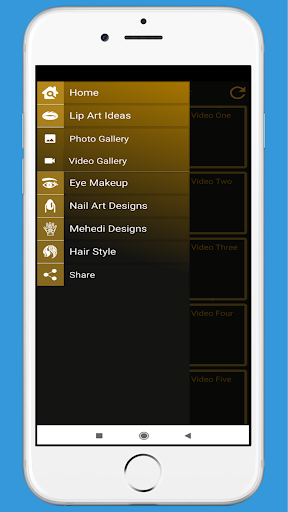
In applications drawer section you will find
*Video and Image of LIP Makeup
*Video and Image of EYE Makeup
*Video and Image of NAIL ART DESIGN
*Video and Image of MEHENDI DESIGN
*Video and Image of HAIR STYLE
How to Use our App:
>From application drawer you have to select a makeup section.
> Then you will get images and videos options.
>If you select image , you can see many images. If you click on a image you will asked to choose an option between image or video of this image.
> Then you can do makeup yourself.