Note Safe - Private Notepad
com.makenotetoself
View detailed information for Note Safe - Private Notepad — ratings, download counts, screenshots, pricing and developer details. See integrated SDKs and related technical data.

Screenshots
Description
What people are saying:
🏆 One of the best apps of 2022. Sam Beckman
https://youtu.be/le_NWCfj9ho?t=616
🏆 ...the chat format for note taking is very convenient... overall, Note to Self is a wonderful note taking app. Gadgets Gig
https://youtu.be/L33YqxyTXG8?t=107
🏆 ...it often takes something very special to make them [notes apps] stand out. Note to Self has done just that. Sam Beckman
https://youtu.be/UQrDXCO6M8M?t=453
FEATURES:
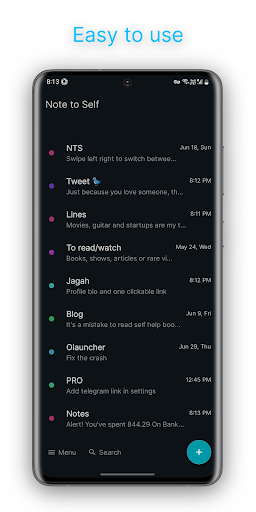
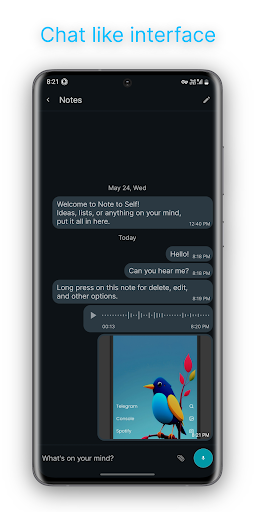
💬 Chat interface • Making it one of the simplest, fastest and capable note taking app ever.
🕵️♂️ Completely private • All your notes, password protected, stay on your device and don't get transferred to any server without your permission.
🔐 • End-to-end encrypted cloud backup and sync is now available in beta.
📖 • Free and open-source under AGPL-v3.0 license.
💻 • App available for Windows. MacOS and Linux apps are coming soon; iOS version coming later.
🚫 Offline first • Can work completely offline. No Internet connection necessary.
🏙️ Attachment • Add as many images, videos or files as you want. Set images for note groups for easy identification.
🎤 Voice notes • Create audio notes with a simple long press, like chat apps.
📍 Location notes • Save your current GPS location.
📂 Folders • Create notes folders for easy categorisation.
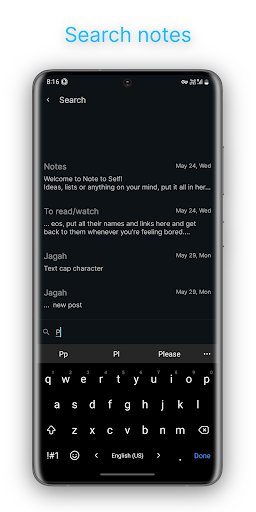
🔍 Search your notes • Search your notes like you search your chats.
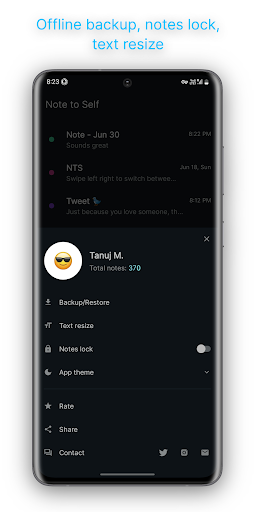
🔒 Biometric password • Save all your notes safely behind your fingerprint or Face ID.
🔠 Backup & restore • Create offline backups for your notes and store them wherever you feel safest. Please note that we do not keep a copy of your data so please keep creating backups regularly.
Thank you and have a wonderful day!