Менеджер Комнатных Растений
com.lucky.Dewdrop
View detailed information for Менеджер Комнатных Растений — ratings, download counts, screenshots, pricing and developer details. See integrated SDKs and related technical data.

Screenshots
Description
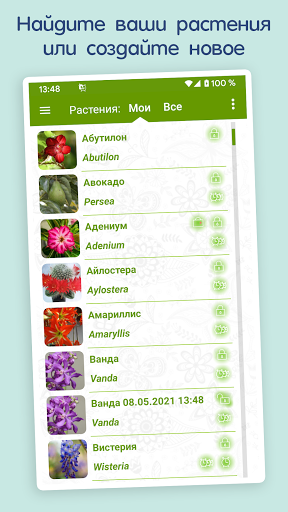
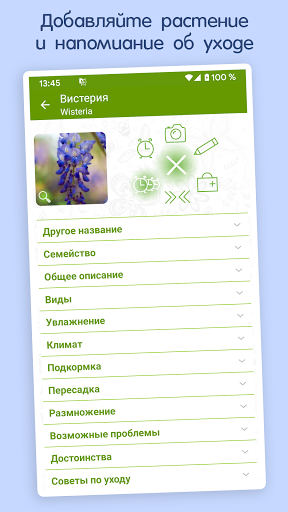
The indoor plant manager will help you organize the care of the plants (watering, spraying, fertilizing, pruning, transplanting, treating diseases) and will remind you at a given time. There is a detailed description of care and treatment. Currently, the application contains 501 plants.
You can create any plant of your own and take care of it!
In the application settings, see the video help.
Key features:
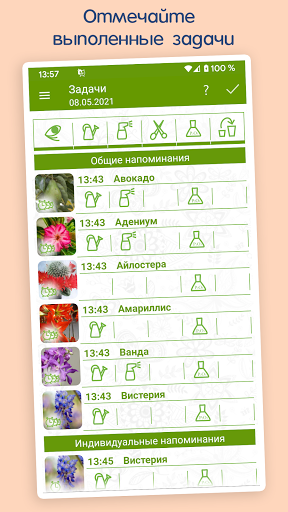
1) General and individual reminders.
2) Creation, copying, deleting of plants.
3) Sending plants by mail or messengers - to your friends and importing them.
4) Editor of frequency of reminders and photo gallery.
5) Quarantine. Plant treatment.
5) Flexible search.
6) Tasks for any date.
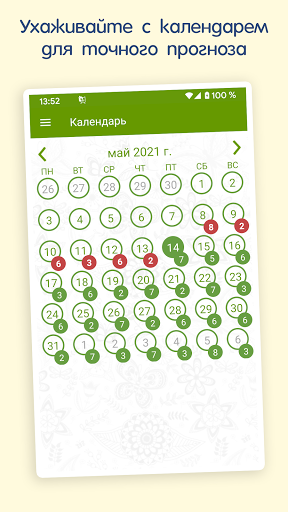
7) Calendar with the transition to tasks for the specified date.
8) View and complete overdue tasks.
9) A detailed description of the plant and its photograph.
If your reminders do not work, keep in mind that each device has its own characteristics and different settings.
General recommendations:
1) Check in the menu - settings - reminders. There should be a checkmark "Remind"
2) Check if a melody is selected (the application plays the default melody)
3) Check your phone settings to see if reminders are enabled.
4) Check permissions. Settings - Notification Manager - Houseplant Manager - Allow
5) Make sure that the application is installed on the phone's memory, and not on an external flash drive.
6) Check that the application is added to the autorun list on the device. If this option is present, it must be enabled for the Indoor Plant Manager.