Lovemaths
com.lovemaths.lovemaths_eclair
View detailed information for Lovemaths — ratings, download counts, screenshots, pricing and developer details. See integrated SDKs and related technical data.

Screenshots
Description
This application is doing studies of mathematical functions, calculation of integrals, searching of antiderivatives and solving of equations and inequalities.
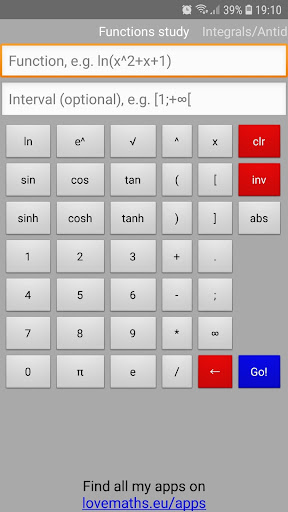
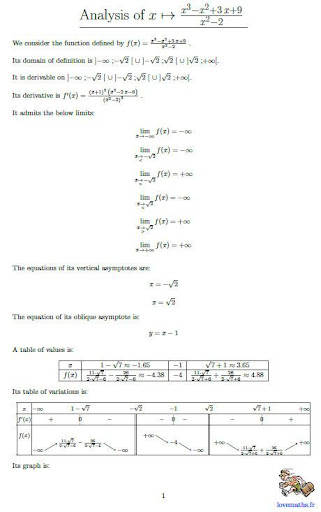
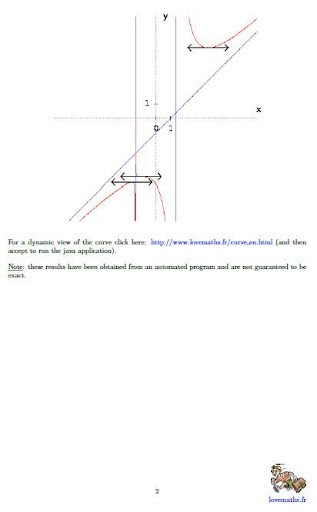
For function study, the function, e.g. ln(3x^2-1), has to be specified in the first text box. A study interval can also optionally be given (e.g. [3;+∞[). By then clicking on "Go!", the analysis is performed (domain of definition, derivative, limits, asymptotes equations, table of variations, graph). The result is a PDF file. An internet access is required. In case a bad function or interval is entered or if a problem occurs while trying to connect to the internet, a descriptive error message is displayed.
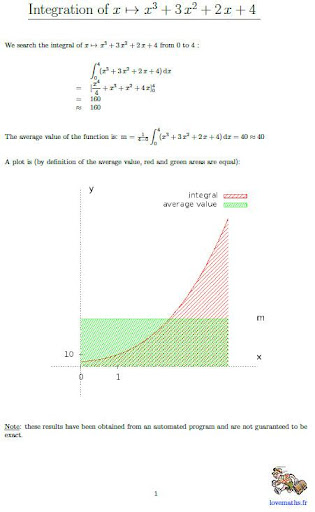
For integrals calculation, a function has to be specified in the first text box. The lower and upper bounds of the integral have to be given in the second text box as an interval (e.g. [3;+∞[). If no interval is specified at the time the "Go!" button is pressed, antiderivative is calculated. As for function study, result is a PDF file. An internet access is required. In case a bad function or interval is entered or if a problem occurs while trying to connect to the internet, a descriptive error message is displayed.
For equations or inequalities solving, the left hand side of the equation or inequality, e.g. x^2 + x + 2, has to be specified in the first text box. The right hand side, in the second text box, is optional and will be set to 0 if left empty. Then, you'll have to choose the = sign (which is the default) for an equation or the <, ≤, ≥ or > sign for an inequality. After having pressed the "Go!" button, the solutions of the equation or the inequality (if any) are given in a PDF file. In case a bad equation or inequality is entered or if a problem occurs while trying to connect to the internet, a descriptive error message is displayed.