Network Analyser
com.loopsystems.networkanalyzer
View detailed information for Network Analyser — ratings, download counts, screenshots, pricing and developer details. See integrated SDKs and related technical data.
- No items.
Screenshots

Description
Stay in control of your wireless world with the BLE & WiFi Network Analyzer app, a powerful tool designed to help you optimize and troubleshoot your Bluetooth Low Energy (BLE) and Wi-Fi networks effortlessly.
Key Features:
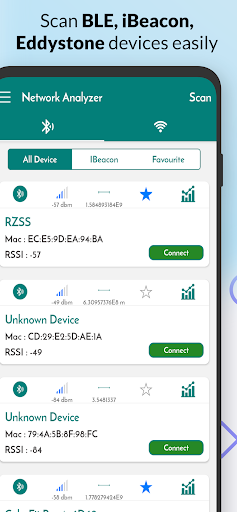
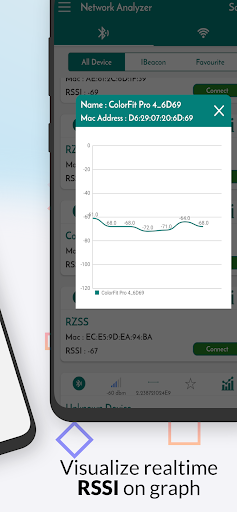
BLE Network Analysis: Gain insight into your Bluetooth Low Energy devices and connections. Scan and discover nearby BLE devices, monitor signal strength, and troubleshoot connectivity issues with ease.
Wi-Fi Network Analysis: Assess the performance of your Wi-Fi network using advanced tools. Conduct speed tests, analyse signal strength, detect network congestion, and identify potential interference sources.
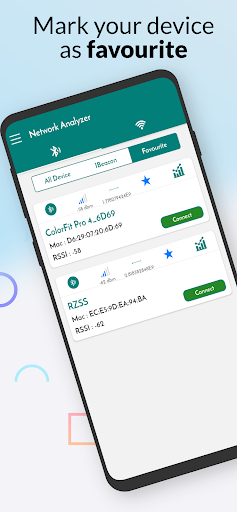
Device Discovery: Quickly identify and view details about nearby BLE and Wi-Fi devices, including device names, MAC addresses, signal strength, and more.
Signal Strength Maps: Visualize Wi-Fi signal strength and coverage with detailed heatmaps. Identify dead zones and optimize router placement for better connectivity.
Network Speed Tests: Measure your Wi-Fi network's speed and performance with integrated speed testing tools. Identify slow spots and take action to improve your internet experience.
Connectivity Troubleshooting: Diagnose common connectivity issues with expert guidance. Resolve connection problems, interference, and slow network performance with step-by-step solutions.
User-Friendly Interface: Navigate through the app effortlessly with an intuitive and user-friendly interface. Access all essential tools and features with ease.
Detailed Reports: Generate comprehensive reports on your network performance, including historical data and signal strength trends.
Take charge of your BLE and Wi-Fi networks like never before. Download the BLE & WiFi Network Analyser app and experience the ultimate connectivity management and optimisation solution.