Notepad - To-do list, calendar
com.lion.notepad
View detailed information for Notepad - To-do list, calendar — ratings, download counts, screenshots, pricing and developer details. See integrated SDKs and related technical data.

Screenshots


Description
Memo, to-do list, memo Alarm and call memo Alarm function Notepad app
Use the Notepad app to quickly and easily create notes.
Notepad apps are easy to use and easy to share notes quickly, as well as to-do lists, memo alarms and folders sorted, data backup and restore features.
It has the ability to link notes and calls together to make notes easier to see. You can place a call by clicking the phone number stored in the note. It also displays all recent notes associated with the sender as alerts. When the phone rings, you can see the note in real time.
You can protect your privacy and privacy with the app lock feature. You can also safely keep notes by backing up and restoring notes.
Just use the Ai memo function where Ai takes notes by simply searching.
Available features:
* Check all notes for callers
* The date and time you want, memo alarm function
* Convenient memo creation and edit sharing
* Backup and restore of all data
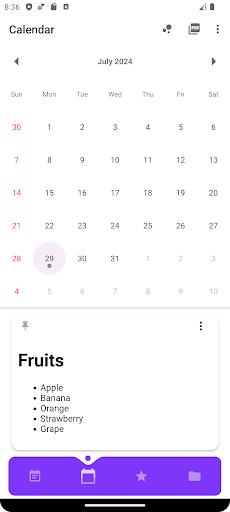
* Calendar function to check and save schedule
* Lock your app with password settings
*Voice memo function
*Handwriting function
*Text file (.txt) saving and reading function
*OCR - Character recognition function
Ai Memo - When you search, Ai automatically writes a memo.
All data will be destroyed when the app is deleted, and the destroyed data can not be recovered. Be sure to backup important notes.