Consumer Accounts with UMR
com.lighthouse1.mobilebenefits.umr
View detailed information for Consumer Accounts with UMR — ratings, download counts, screenshots, pricing and developer details. See integrated SDKs and related technical data.
Total installs
15.9K(15,929)
Rating
2.9(55 reviews)
Released
December 14, 2017
Last updated
June 5, 2025
Category
Health & Fitness
Developer
UNITED HEALTHCARE SERVICES, INC.
Developer details
Name
UNITED HEALTHCARE SERVICES, INC.
E-mail
Website
unknown
Country
unknown
Address
unknown

Screenshots


Description
Login information
· If you are a new mobile app user, select “New User? Set up your account” to setup.
· If you have already viewed your account(s) through umr.com and don’t remember your separate mobile app username and password, select “Forgot password?”
· If you experience issues logging in, email [email protected] or call 800-826-9781.
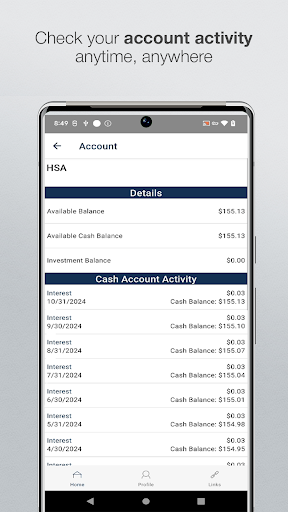
Save time and hassle while making the most of your Consumer Account$ by quickly checking your balances and details. Our secure app makes managing your health benefits easy through real-time access and intuitive navigation to all your important account information on the go! Powerful features of the app include:
Easy, Convenient & Secure
No sensitive account information is ever stored on your mobile device
· Use Touch ID or Face ID to quickly log in to the mobile app
· Setup security questions on your first login to protect your account
Connects You with the Details
· Quickly check available balances 24/7
· View charts summarizing account(s)
· View existing claims
· Click to call or email customer service
· View your statements and notifications
· Scan product barcodes to determine their eligibility as a 213(d) qualified expense
Provides Additional Time-Saving Options (if supported or applicable to your account(s))
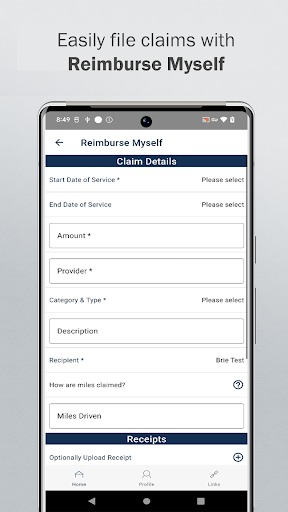
· Reimburse yourself
· Take or upload a picture of a receipt and submit for a new or existing claim
· View, contribute and distribute HSA transactions
· Manage your expenses by entering medical expense information and supporting documentation
· View your HSA investments
· Retrieve your forgotten username/password
· Report a debit card as lost or stolen
Powered by WEX©