Speed Camera Detector
com.lelic.speedcam
View detailed information for Speed Camera Detector — ratings, download counts, screenshots, pricing and developer details. See integrated SDKs and related technical data.
Screenshots
Description
Avoid speeding tickets and drive safely with Speed Camera Detector!
Your reliable GPS radar app that warns you about every road hazard:
• Fixed & mobile speed cameras
• Red-light cameras
• Speed bumps and bad road sections
• Police radars, traffic jams, and other dangers
Using a shared global database updated daily by millions of drivers, Speed Camera Detector helps you stay informed and safe — anywhere in the world.
🚗 Main Features
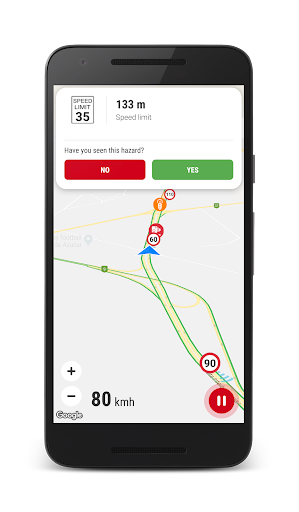
✅ Built-in google navigation
✅ Real-time speed camera detection – get instant alerts before approaching any radar.
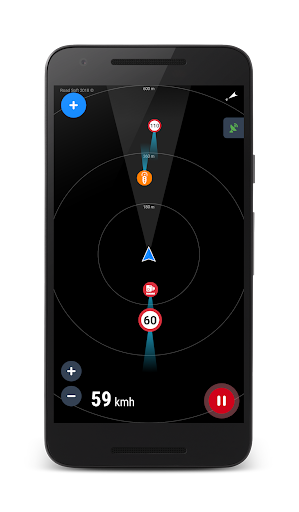
✅ Radar or Map view – use the app offline, no internet required.
✅ Voice alerts – stay focused on the road without looking at the screen.
✅ Works in background – compatible with any navigation app.
✅ Night mode and 3D map support for better visibility.
✅ Traffic jam display and auto-zoom on route.
✅ Dashboard with current speed and distance to hazard.
✅ 300,000+ active hazards worldwide.
✅ Daily database updates for maximum accuracy.
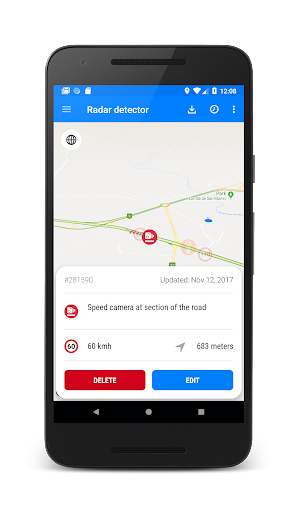
✅ Add or remove POIs to improve the community database.
🌍 How to Use
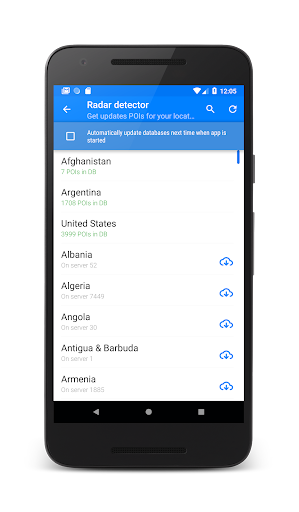
Open the menu and tap “Update Database” to download the latest POIs for your region.
Press “Start” to activate the radar detector.
Get real-time voice alerts for hazards on your route.
Swipe from the left or right edge to access settings and filters.
💬 Community-Driven Safety
Every registered user can report new hazards, confirm existing ones, or remove outdated POIs.
Join a global network of safe drivers helping each other avoid risks and fines.
🔔 Why Drivers Love Speed Camera Detector
Avoid speeding fines and unexpected radar traps.
Drive safely and confidently anywhere in the world.
Lightweight, accurate, and easy to use.
Works even when your screen is off.
Download Speed Camera Detector today and make every trip safer!
Be careful on the road — and if you enjoy the app, please rate us ⭐