UCOPAY+
com.lcode.ucopay
View detailed information for UCOPAY+ — ratings, download counts, screenshots, pricing and developer details. See integrated SDKs and related technical data.

Screenshots


Description
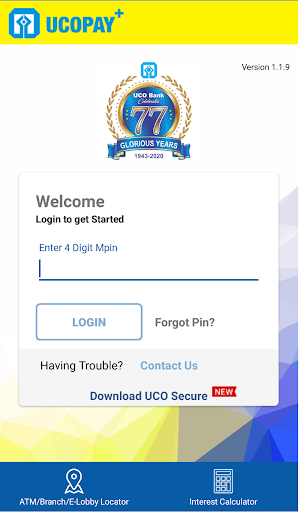
UCO Bank, a commercial Bank and Government of India undertaking provides various customer oriented services. To facilitate customers more towards the digital Banking and cashless environment, UCO Bank launches UCOPAY+ a digital wallet app an alternative to your physical wallet/Batua.
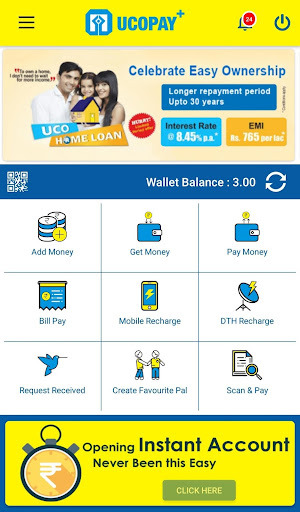
UCOPAY+ is a semi closed digital wallet application on Android platform to cater your financial requirement. It is electronic virtual wallet where you can load money and spend it for your Mobile recharge/ DTH recharge/various utility Bill Payments including Gas, Electricity, Insurance, Mutual Funds, etc., sending money to your near & dear ones. It contains various features like adding money from your net banking/debit card/credit card, getting money from your pals, paying money to your pal’s wallet/UCO Bank account. It provides facility of QR Code scanning of merchants and doing quick payment.
You can check all transaction statement and send it to your Email-IDs.
How to Register:-
• Download the app “ UCOPAY” from Android playstore.
• Register in “UCOPAY” by entering your mobile number and creating your profile.
• Load money into your wallet (through your net banking, debit card, Credit card, by asking from
your Pal and by your Bank account).
• Use the wallet money for your day to day expenses like bill payment, mobile/DTH recharge, online
shopping etc.
• Transfer money from wallet to UCO Bank account.
• If you are a merchant, create your own QR code and receive the money by displaying the QR code
to the customer.
• Customer can pay the bill by scanning the QR code without any pain/complexity like writing
account number/IFSC/Name etc.
• Any complaints need to be forwarded to uco.custcare@ucobank.co.in
All you need to access the wallet is:
• Android OS phone
• Access to Internet which can be via Wi-Fi or your mobile internet