TTS Reader - Text to Speech
com.kwonsoft.ttsreader
View detailed information for TTS Reader - Text to Speech — ratings, download counts, screenshots, pricing and developer details. See integrated SDKs and related technical data.
- No items.

Screenshots
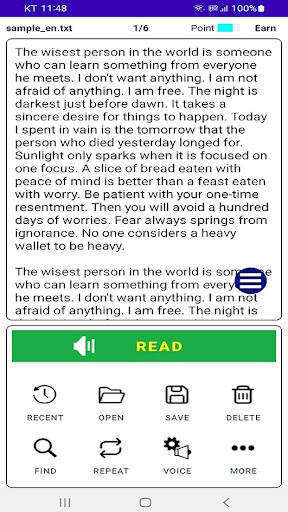


Description
This app reads text aloud for you.
You can edit and save text and convert it to an audio file.
[Features of this app]
- Simple to use. Convenient one-handed operation of all menus
- Support for immersive mode where text fills the screen
- Convert text to speech without limiting the number of characters
- Import text (txt, pdf file), edit, save (save as txt, mp3, wav file)
- Direct text input and pasting (you can quickly create the text you want and use it right away)
- Delete file, clear screen
- The screen automatically scrolls along the part that is being read
- It is possible to read from the touched part (press and hold the part you want to read)
- Read, pause control possible with headphones
- Intuitive play, pause, rewind, forward function
- Can read 58 different languages (can learn a variety of foreign languages)
- Repeat function (infinite repeat, repeat number designation)
- Reading speed, volume, and voice tone can be finely adjusted in decimal units.
- Ability to open recent files
- When you open the app, it automatically reads from where you read it before.
- Timer function (stop reading when the specified time elapses)
- App screen can be converted to 47 kinds of languages
- After a phone call, you can easily continue reading from where you read with the push of a button.
- Listen even when using other apps or when the screen is off
- Switch between light mode and dark mode
- Switch between horizontal and vertical screens
- Voice selection
- Find text
- You can go to the page you want
- Adjustable font size and line spacing
- Voice help supported for some menus
- This app is a free app.