3D Ringtones
com.kt.threedringtones
View detailed information for 3D Ringtones — ratings, download counts, screenshots, pricing and developer details. See integrated SDKs and related technical data.
- No items.
Screenshots

Description
Elevate your device experience with 3D Ringtones - the ultimate collection of high-quality, immersive sounds for your ringtones, notifications, and alarms. With 68 dynamic three-dimensional sounds, your device will come to life like never before, delivering crystal-clear and powerful audio.
Key Features:
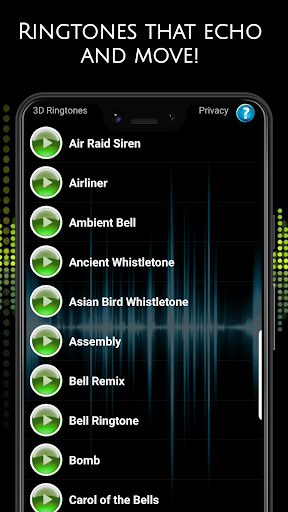
1. Diverse Range of Sounds: Immerse yourself in a vast selection of 68 high-volume, three-dimensional sounds. Each sound or song is carefully crafted to ensure optimal clarity and impact. Most of the sounds and songs are 5 seconds or longer, catering to all your ringtone needs.
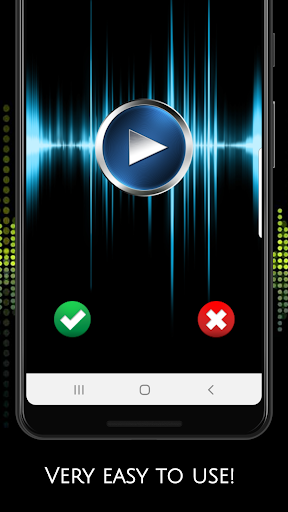
2. Intuitive Interface: Effortlessly browse through the collection of sounds and songs with a simple scroll. Press to instantly preview and enjoy the loud and clear ringtone or sound. For continuous playback, take advantage of the loop button and let the sound or song repeat seamlessly.
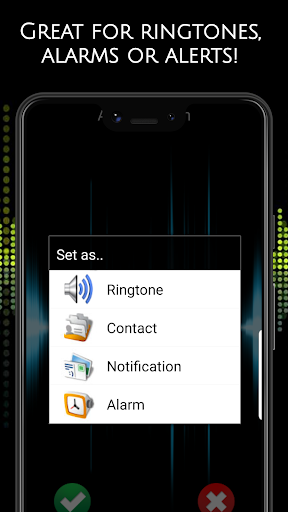
3. Customize Your Device: Personalize your device by assigning your favorite sounds to specific functions. Access the settings icon (red gear icon) to easily apply the sounds as ringtones, alarms, notifications, or even for specific contacts. Never miss an important call again with unique text message sounds for each of your contacts.
4. Enhanced Functionality: Explore additional features that make 3D Ringtones a must-have app:
🎉 Favorites Page: Create a dedicated space for all your beloved sounds. Enjoy the same functionality as the main pages, ensuring quick access to your most cherished tones.
🎉 Big Button Sound Randomizer: Play around with all the sounds and songs using the entertaining randomizer feature. Discover new favorites and let your creativity flow.
🎉 Ambient Timer: Set the mood with ambient sounds and a timer feature, allowing you to play sounds at specific intervals. Perfect for relaxation, meditation, or creating a soothing environment.
🎉 Countdown Timer: Use the traditional countdown timer to schedule sounds or songs to play after a specified duration. Ideal for reminders or timed activities.
5. Universal Compatibility: 3D Ringtones is compatible with a wide range of devices, ensuring seamless integration with your smartphone or tablet. Whether you need ringtones, notifications, or alarms, this app has got you covered.
Unlock the full potential of your phone or tablet with the easy-to-use 3D Ringtones app. Stand out from the crowd and leave generic sounds behind. Download now and experience the next level of personalization!
FAQ
What can I do with the 3D Ringtones app?
🎉 The 3D Ringtones app offers a range of features to enhance your audio experience. Here's what you can do with the app:
1. Play Sounds: Scroll through the collection of 68 three-dimensional sounds and press to listen to each one. Experience high-volume, crystal-clear audio at your fingertips.
2. Save Ringtones: Choose your favorite sounds and save them as custom ringtones for incoming calls. Personalize your device by assigning unique ringtones to different contacts.
3. Set Notifications: Select your preferred sound and set it as a notification tone. Get alerted with distinct and attention-grabbing sounds for your incoming messages, emails, or app notifications.
4. Configure Alarms: Wake up to your favorite three-dimensional sound by setting it as your alarm tone. Start your day with an energizing or soothing audio experience.
Can I save the ringtones I like?
🎉 Absolutely! Once you find a ringtone you love, simply press and hold on the sound. A prompt will appear, allowing you to save the sound as a ringtone. It will then be accessible within your device's settings for you to apply as your ringtone whenever you like.
Can I customize 3D sounds for individual contacts?
🎉 Absolutely! With the 3D Ringtones app, you can assign unique text message sounds for each of your contacts. This feature enables you to identify callers without even looking at your screen, adding a personal touch to your communication experience.