Robotics - Smart Machines
com.kosmos.robotics
View detailed information for Robotics - Smart Machines — ratings, download counts, screenshots, pricing and developer details. See integrated SDKs and related technical data.
Screenshots

Description
For use with the engineering kits “Robotics: Smart Machines”, “Robotics: Smart Machines - Rovers & Vehicles Edition”, and “Robotics: Smart Machines - Tracks & Treads Edition” by Thames & Kosmos.
This app is the “brain” of the robotic models you build with the Robotics: Smart Machines kits. The app uses the feedback from the models’ ultrasonic sensor together with programmed commands to control the models.
App Features
• Connect to your models via Bluetooth connection.
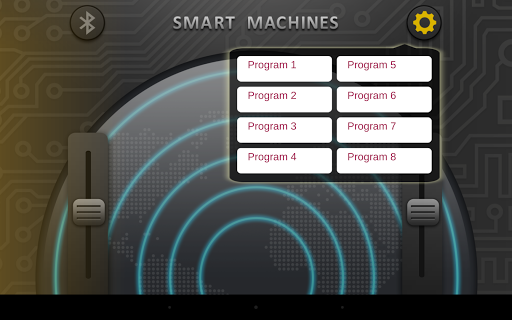
• Remote-control mode lets you directly control the models’ two motors forward and backward.
• Remote-control mode gives you a visual display of the object distance readings from the ultrasound sensor.
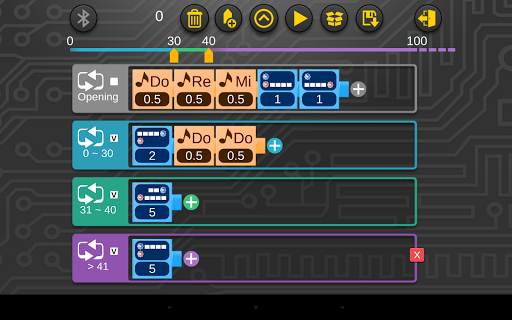
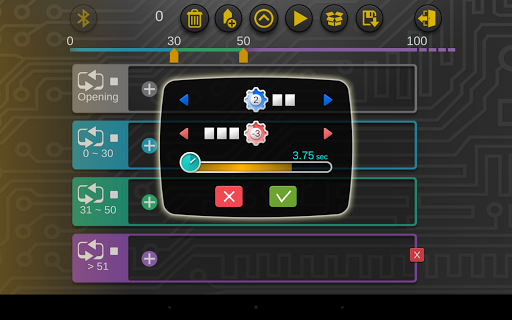
• Programming mode lets you script and save programs.
• Seven programs (Programs 1-7) are preloaded to work specifically with seven of the robot models in the “Robotics: Smart Machines” kit. Eight programs (Programs 9-16) are preloaded to work specifically with eight of the robot models in the “Robotics: Smart Machines - Rovers & Vehicles Edition” kit. Eight programs (Programs 17-24) are preloaded to work specifically with eight of the robot models in the “Robotics: Smart Machines - Tracks & Treads Edition” kit.
• A simple, visual programming language lets you program motors, sounds, and pauses.
• Different program segments can be set to run upon first run and then when the ultrasound sensor detects objects at different distances from the model.
• Use the 60-page or 64-page, step-by-step illustrated manual included in either kit to learn how to use all of the programming features.
*****
If your device does not meet the minimum Android OS requirements, email support@thamesandkosmos.com for further support
*****
Suggestions, feature requests, or questions?
We look forward to your feedback!
Mail to: support@thamesandkosmos.com
Updates and news on www.thamesandkosmos.com
*****