Komatsu Aftersales Support App
com.komtrax.dealmanagement
View detailed information for Komatsu Aftersales Support App — ratings, download counts, screenshots, pricing and developer details. See integrated SDKs and related technical data.

Screenshots
Description
This application was developed to assist Product Support Sales Representatives in creating and managing deals.
Allowing users to make deals on their mobile gadgets which support offline function.
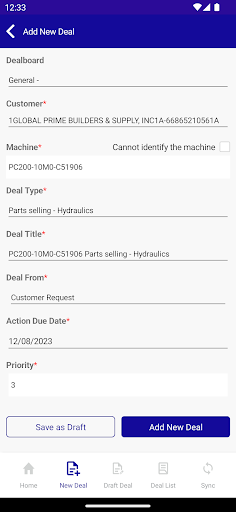
Users can create a deal for customer or machine that includes deal type, deal from, action due date, priority, quote, and probability.
Also user can effectively view deals, update stage, and add comment.
■Login
This application requires the invitation to use.
After registering your account, user must input their ID and Password.
■Function
-Home Page-
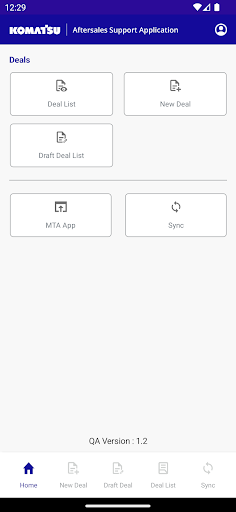
Displaying New Deal, Deal List, Draft Deal List, Sync, and Machine Touch Application (MTA) menu.
-New Deal-
Creating a deal involves selecting the intended customer or machine and inputting the necessary deal info which includes deal type, deal from, action due date, priority, quote, and probability.
-Deal List-
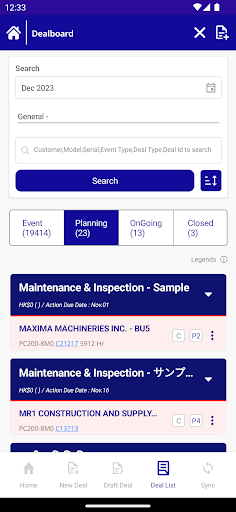
Deal list management enables users to edit deal information, update deal stages, and submit comments.
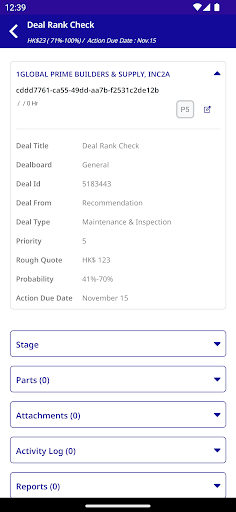
User can view the stage, parts, attachments, activity log, and report tabs.
-Draft Deal List-
Offline deals are saved as draft deal until they are uploaded to the web via an internet connection.
After uploading, it will be recorded in the sync deal which can be managed through the deal list menu.
-Sync-
Downloading the customers, machines, master data, and custom fields
-Profile-
Displaying the selected language and distributor, along with a logout button