Blue Proxy: Site Proxy Browser
com.kolin.blueproxy
View detailed information for Blue Proxy: Site Proxy Browser — ratings, download counts, screenshots, pricing and developer details. See integrated SDKs and related technical data.
- No items.

Screenshots
Description
Unblock websites you want to visit easily and quickly. Blue proxy browser VPN for Android is the perfect tool for you, with built-in unlimited web proxies, allowing you to browse unhindered. Protect your privacy online on the internet with a wide selection of virtual IP locations.
Main feature:
- No login and register required
All features in the application and proxy services can be used without the need to login and register.
- Fast and easy to use
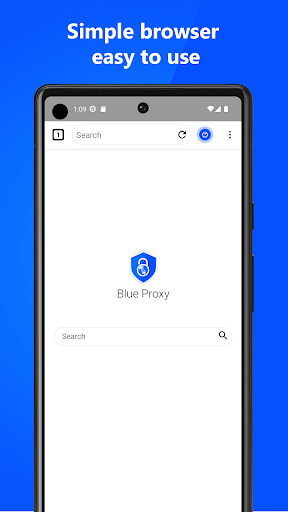
Our browser is designed in such a way that it is very light and easy to use. Users can easily navigate through all the features in the application.
- Change IP address from various locations
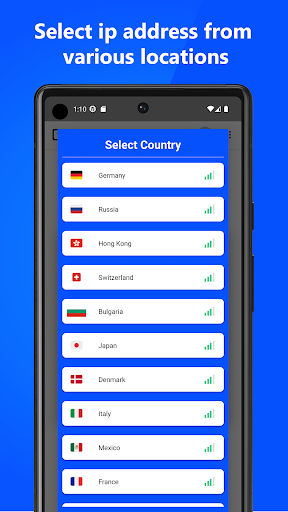
Unlike other browser applications, which only provide one location. Our browser provides dozens of IP locations from various countries that you can choose freely.
- Anonymous browsing
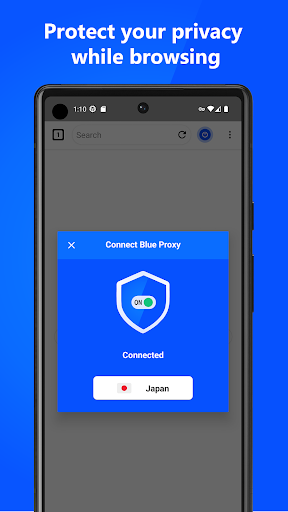
Our browser hides your IP address, and changes it to a virtual IP. So you will browse anonymously with an encrypted network.
- No bandwidth limit
You can connect with the proxy network for a long time, because there is no daily bandwidth limit. You can browse safely whenever you want.
How to use Blue Proxy to secure online activities on the internet:
1). Open the Blue Proxy app
2). On the main page, tap the proxy button located on the top right side of the screen
3). Select the desired proxy server location
4). Enjoy browsing privately.
Disclaimer:
The features in the Browser can all be used without any conditions. No need of registration and login to use the app. There is no configuration whatsoever to connect to the web proxy.
If you have questions or criticism and suggestions for our application, don't hesitate to contact via email: support@blueproxy.id