Kinetico Powerline PRO
com.kinetico.powerline
View detailed information for Kinetico Powerline PRO — ratings, download counts, screenshots, pricing and developer details. See integrated SDKs and related technical data.
- No items.

Screenshots

Description
Kinetico’s Powerline PRO Series app makes setting up and monitoring your Kinetico water treatment system easier than ever! When app is used with a Kinetico valve, the user can perform the following functions:
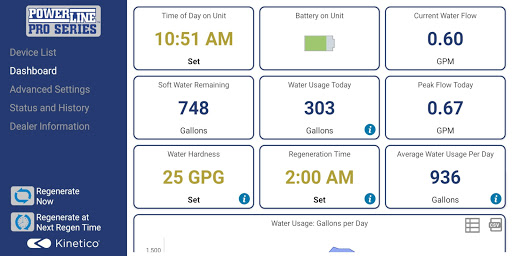
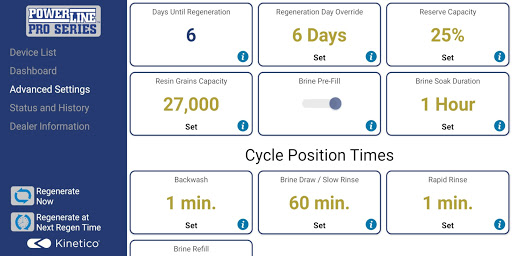
- Conveniently view all valve settings and status.
- Easily change valve settings.
- View current water usage information.
- Graphically view water usage information.
- Start a regeneration or backwash cycle from your phone or tablet.
- Set / view the servicing water treatment dealer information.
- Better understand how your system is working and understand what settings are for.
- Connect to all of your valves in your system (if they are all Kinetico Valves).
- Update firmware
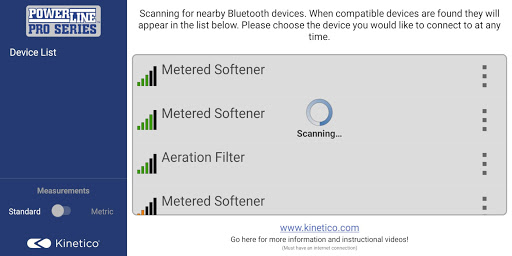
- Manage your connection to your valves.
Permissions:
- Access Bluetooth setting, Pair with Bluetooth devices: This app uses your devices Bluetooth radio to communicate with the valve.
- Approximate location (network-based): This is a requirement of the Android operating system for the App to scan for Bluetooth devices on Android Marshmallow +.
- Write External Storage: This is a requirement to manage valve firmware, export graph data and import/export dealer information. We do not modify or view anything outside of the apps directory, we only export mentioned data to this directory.
- Read External Storage: This is inherited from the write external storage permission. We do not ready anything from external storage.