KICASignPlus
com.kica.android.app
View detailed information for KICASignPlus — ratings, download counts, screenshots, pricing and developer details. See integrated SDKs and related technical data.

Screenshots

Description
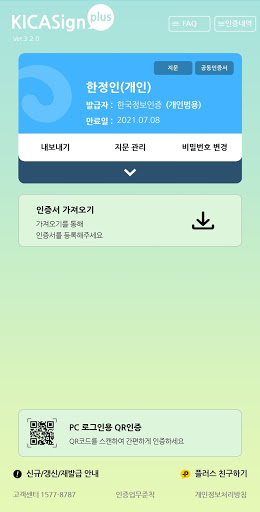
The new KICASignPlus app, provided by Korea Information Certificate Authority (KICA), provides digital signature authentication services and PKI-based digital signature services via mobile browsers on Android-based smart devices. Just as you install and use a program to use a joint certificate on a PC, you can install the KICASignPlus app on your smart device to enjoy the same functionality.
[Main Features]
- Digital signature authentication service (application, issuance, renewal)
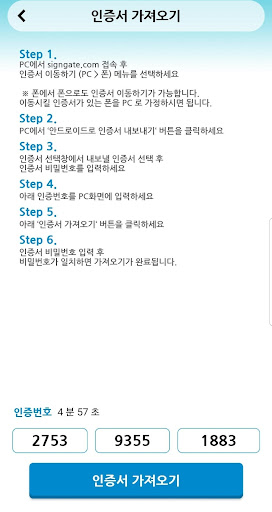
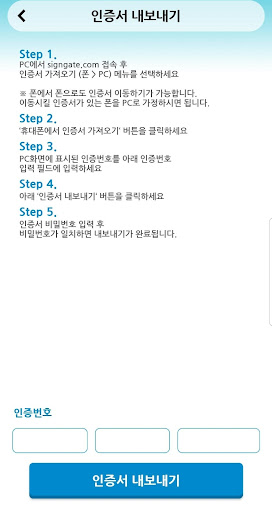
- Import and export joint certificates
- Joint certificate management
- Mobile browser-based digital signature and identity verification services
* Data charges may apply when downloading the application via LTE or 3G networks. We recommend using a Wi-Fi network whenever possible.
[Supported Devices]
- Devices running Android OS 6.0 or higher
- The service is not available on devices with modified operating systems, such as those that have been rooted.
- Due to the nature of the devices, the app may not function properly on smartphones other than the Samsung Galaxy S series, Samsung Galaxy Note series, and LG V series. - For any inquiries regarding the KICASign app, please contact Customer Service (1577-8787).
[Service Access Permissions]
* Required Permissions
- Phone: Used to check your phone's status and connect to the customer service center by phone.
- Storage: Used to store and use joint certificates.
(Storage permission is no longer required starting with Android OS 10. It is required for Android OS 9 and earlier.)
* Optional Permissions
- Camera: Used to provide QR Code recognition.
* You can still use the service without consenting to optional permissions.
* If you do not consent to optional permissions, you may not be able to use the relevant features.
* How to Revoke Permissions
- Settings > Applications > Select KICASignPlus > Permissions > Select Agree or Revoke for each permission.