Oyomi - Japanese reader
com.kevinzhow.pengdu
View detailed information for Oyomi - Japanese reader — ratings, download counts, screenshots, pricing and developer details. See integrated SDKs and related technical data.

Screenshots

Description
Oyomi is a Japanese "grammar analyzer" and "learning" App.
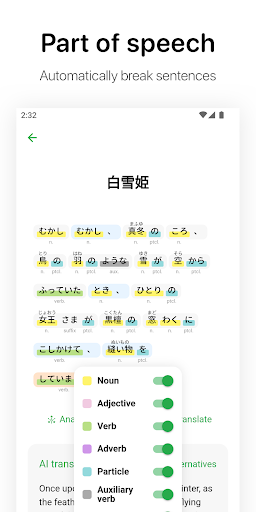
Part of speech: Use machine learning to automatically break sentences and mark the parts of speech and pronunciation of Chinese characters in sentences and paragraphs to improve your reading efficiency.
Semantic analysis: Combining machine learning techniques, the Oyomi can accurately analyze and generate the semantic structure of sentences and paragraphs, sort out the modification relationship between short sentences, and help you understand the grammatical characteristics and meanings of Japanese.
Translation reading: Oyomi also has accurate online translation function, and can perform text-to-speech.
Web content analyzer: Oyomi can parse the content of the web page for analysis.
EPUB reading: Support to import EPUB e-books.
Word parsing: Oyomi can automatically analyze the conjugations of word with build-in dictionary.
Vocabulary notebook: You can bookmark your favorite paragraphs and new words so that you can study them again later.
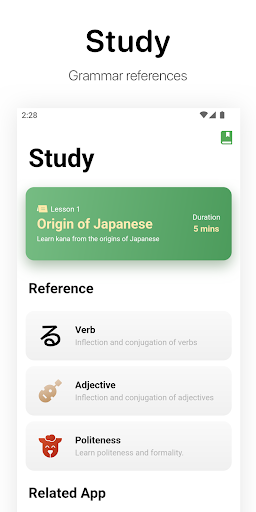
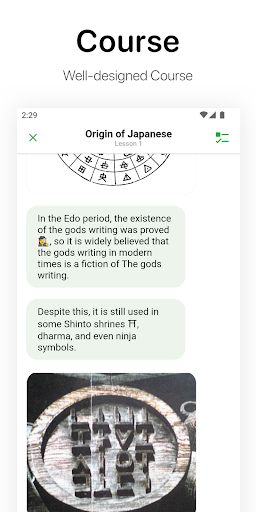
Interactive Course: A well-designed interactive introduction to Japanese with common grammar references.
Content recommendation: classic novels, music appreciation, occasional updates of selected content.
More features and content are under development. If you encounter any problems, please use the "Feedback" in the App or contact kevin@myoland.com for support.