Camera Color Counter
com.keuwl.cameracolorcounter
View detailed information for Camera Color Counter — ratings, download counts, screenshots, pricing and developer details. See integrated SDKs and related technical data.
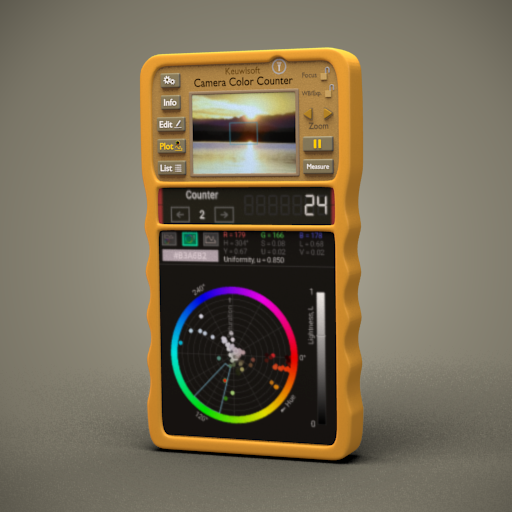
Screenshots

Description
A counter based on the measured color from the camera preview image.
A blue box indicating the target area is shown on the camera image. The target area is analysed and the average colour then used for counting.
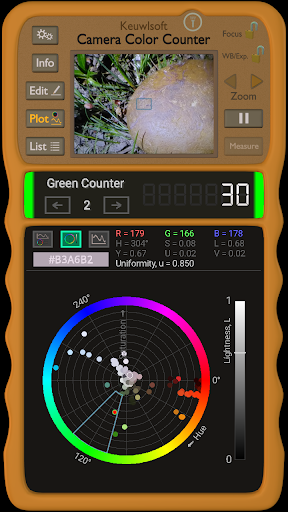
Measures RGB (Red, Green, Blue) and then calculates HSL (Hue Saturation, Lightness) and YUV (Luminance and Chrominance). Also includes an indicator of the color uniformity in the analysed area.
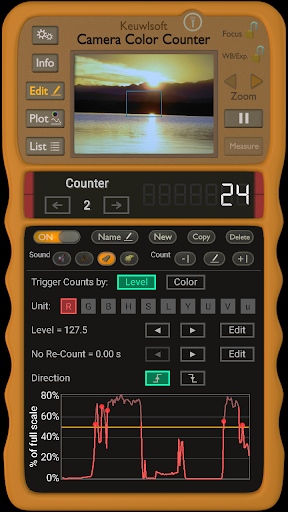
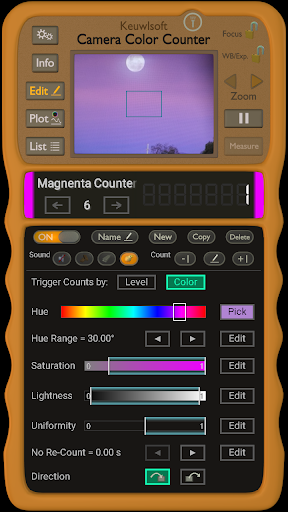
Up to 100 counters can be set with different trigger options. Either count when a certain colour is detected (defined by a range in HSL), or when a value such as the red, green or blue component passes a set level.
There are three main modes; Edit (edit counters), Plot (plot measured data) and List (scrollable list of counters).
• Use front or back camera. Zoom in or out and lock focus or exposure. Turn camera flashlight on if available.
• Graph of values over time. Hue-Saturation diagram. Triggered counts indicated with red circles.
• Vibrate or Sound effects on button presses and/or count events.
• Pause button to pause measurement, and measure button to take measurements one at a time.
• Hexadecimal RGB colour code shown in plot mode.
Note that the camera and screen of your device might not measure or represent color accurately, therefore app is for indication only.