食べログノート
com.kakaku.tabelog.note
View detailed information for 食べログノート — ratings, download counts, screenshots, pricing and developer details. See integrated SDKs and related technical data.
Total installs
12.0K(12,007)
Rating
unknown
Released
unknown
Last updated
January 1, 1970
Category
Business
Developer
Kakaku.com, Inc.
Developer details

Screenshots


Description
The Tabelog Note App is a smartphone app provided for restaurants using Tabelog Net Reservation.
You can easily manage the operation of tabelog net reservations on your smartphone.
* To use this service, you need to apply for a tabelog net reservation.
* Please use the Tabelog Note app in combination with the PC browser version of Tabelog Note.
[What you can do with the Tabelog Note App]
1. Confirmation of new online reservation
When a new online reservation is made, we will notify you by PUSH notification. (Online reservation only for same-day visits)
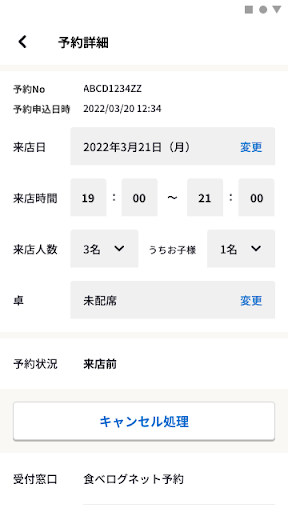
You can also check the details of all new online reservations / changes / cancellations on the "New online reservation" screen.
2. Confirmation of reservation status
You can see the "Time Schedule" screen as soon as you open the app.
You can see at a glance what kind of reservation is made for each table / what time.
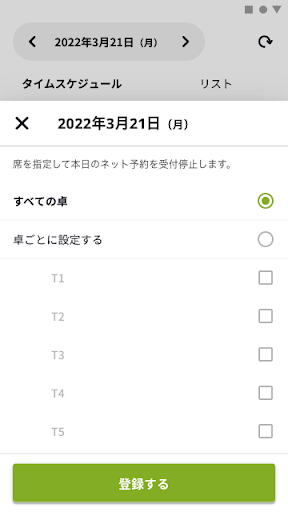
3. Stop accepting online reservations
From the "Time Schedule" screen, you can easily stop accepting today's online reservations.
You can also stop accepting online reservations by specifying the table / time / repetition period.
4. Change / cancel registration of online reservation
If you accept the change / cancellation of the online reservation by phone, you can register the change / cancellation with the Tabelog Note app.
[Recommended operating environment]
The tabelog note app recommends the following operating environment. If the version is not the recommended operating environment, it may not work properly or the installation itself may not be possible, so please update to the recommended operating environment.
・ Android9 or above